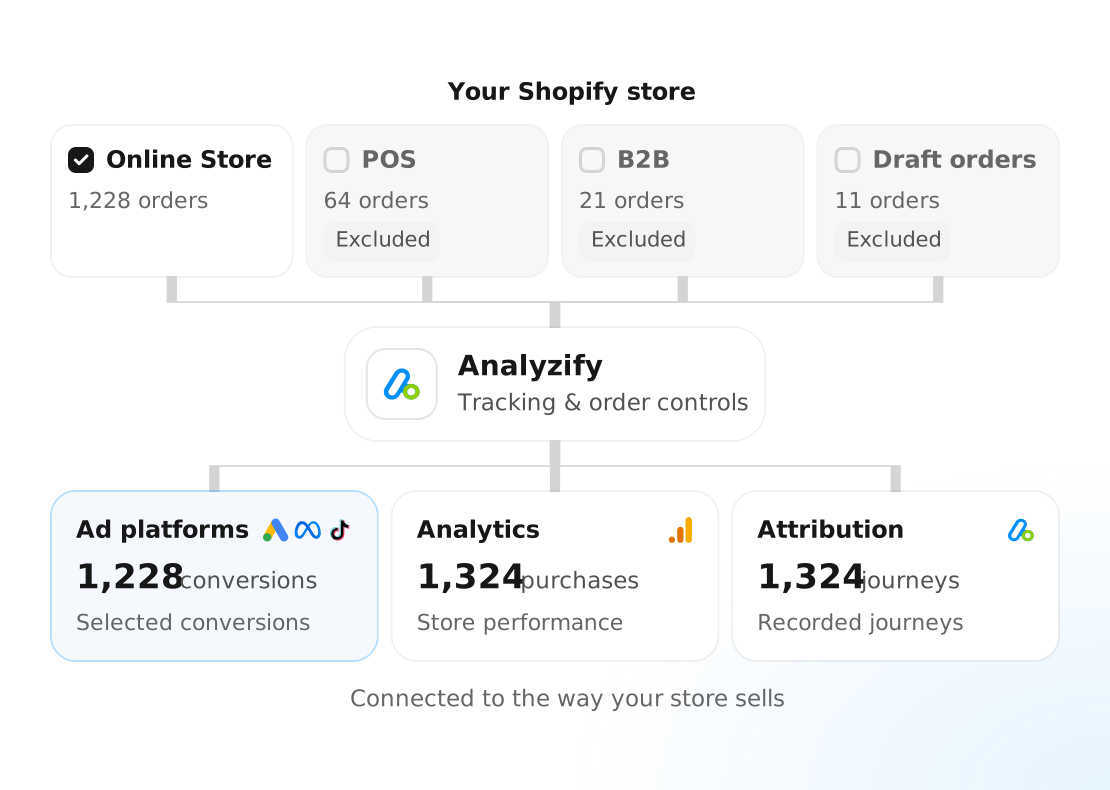
Ad platforms optimize toward the purchases you send them. If purchases go missing, get counted twice, or include unrelated orders (POS, B2B, draft orders, etc.), your campaigns learn from the wrong signals, just as Black Friday budgets peak.
Analyzify lets you choose which purchases reach your ad platforms and see the journey behind every sale.
Run a free audit to see what your store sends to GA4, Google Ads, Meta, and more. Spot missing events, incomplete data, and duplicate tracking before you increase spend.

See which important events actually reach GA4 and your ad platforms.

Check for missing parameters, and catch duplicated events.

Paste your store URL and get a tracking audit. No installation, no admin access.
Set up the right data before the sale, and stay in control while it runs.
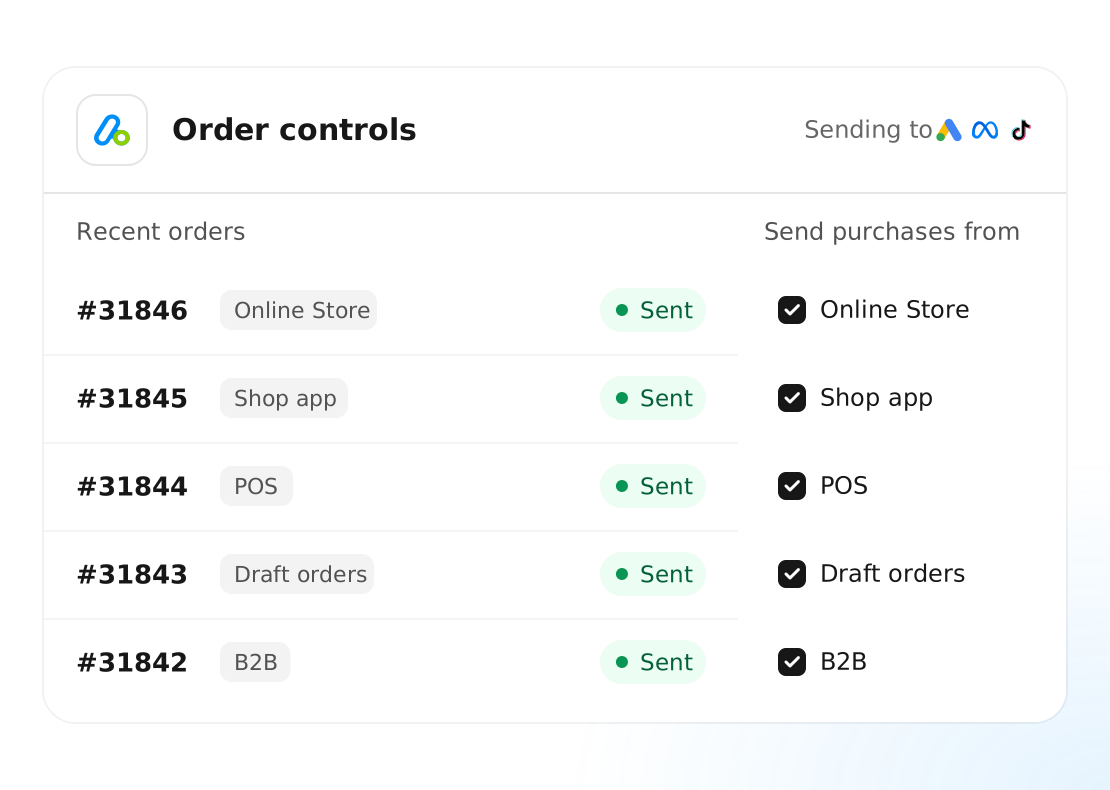
Not every Shopify order belongs in your ad data. You can use Analyzify's order controls to keep purchase data aligned with your campaign goals, even when your Shopify store handles several types of sales.
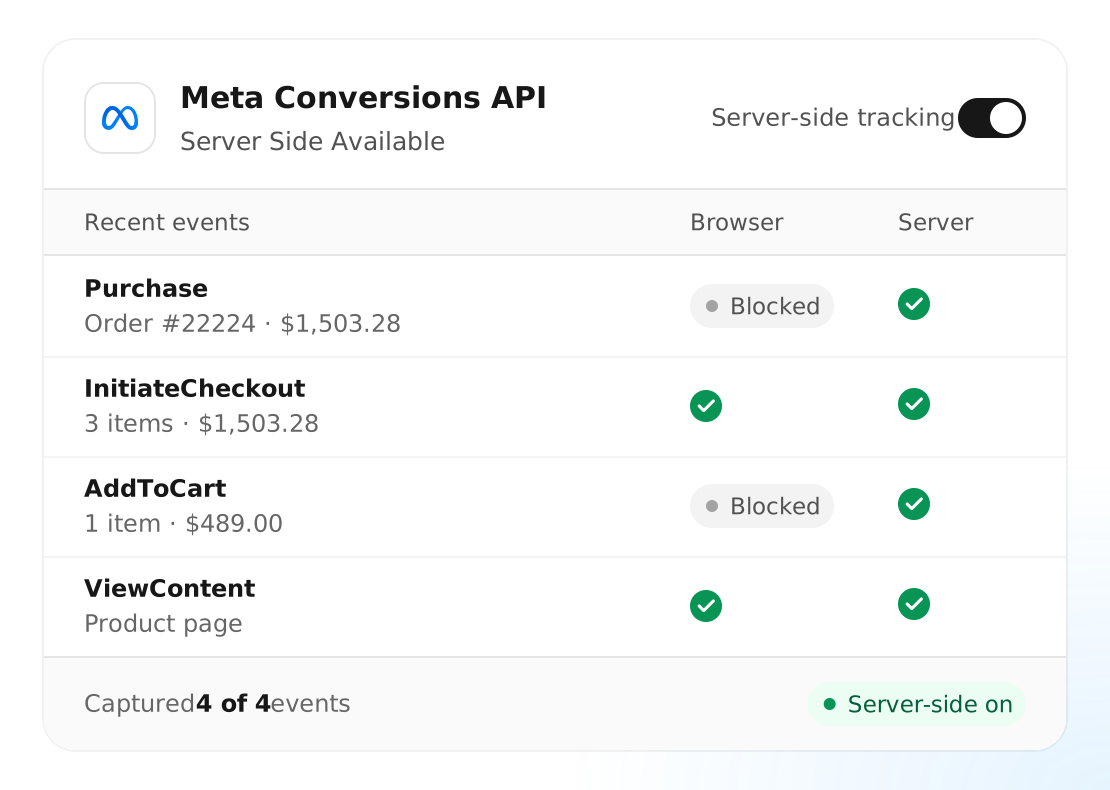
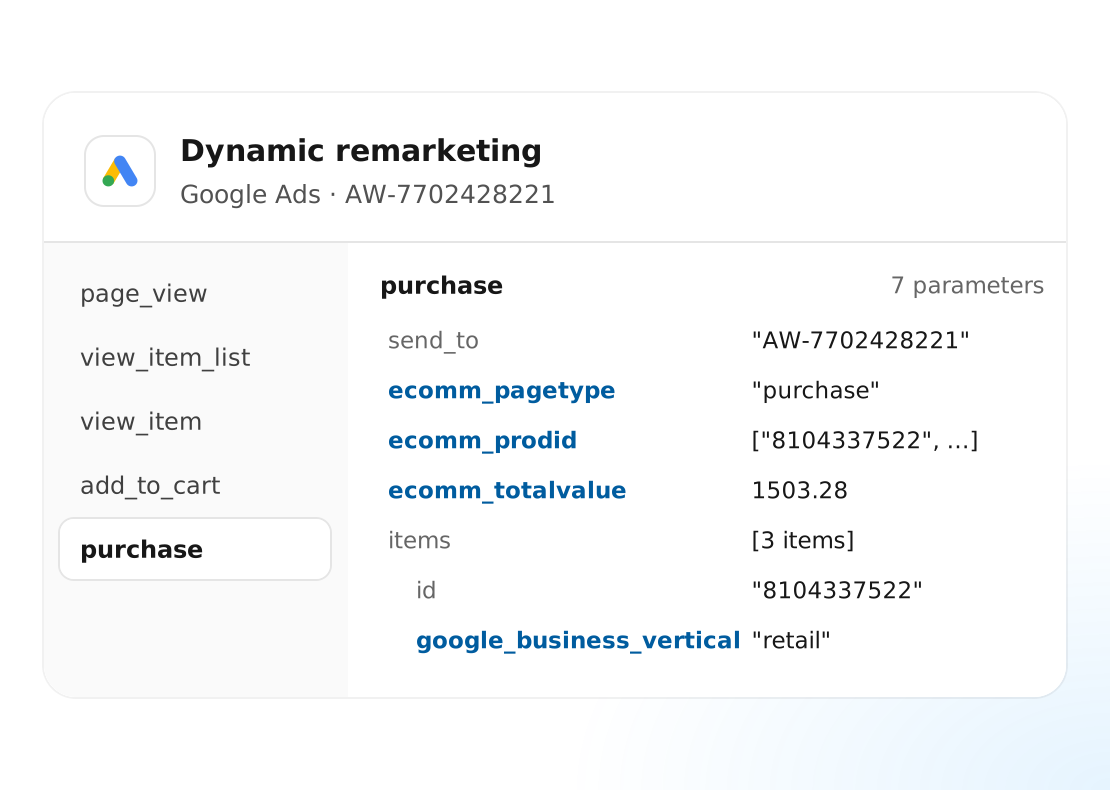
Before Black Friday campaigns go live, check that purchase events reach the intended platforms with the right value, currency, and product details.
For many stores, remarketing carries a big share of BFCM spend, and it only works as well as the events behind it. When product views, add to carts, and checkouts reach your ad platforms with the right product details, your audiences are ready before the sale begins.
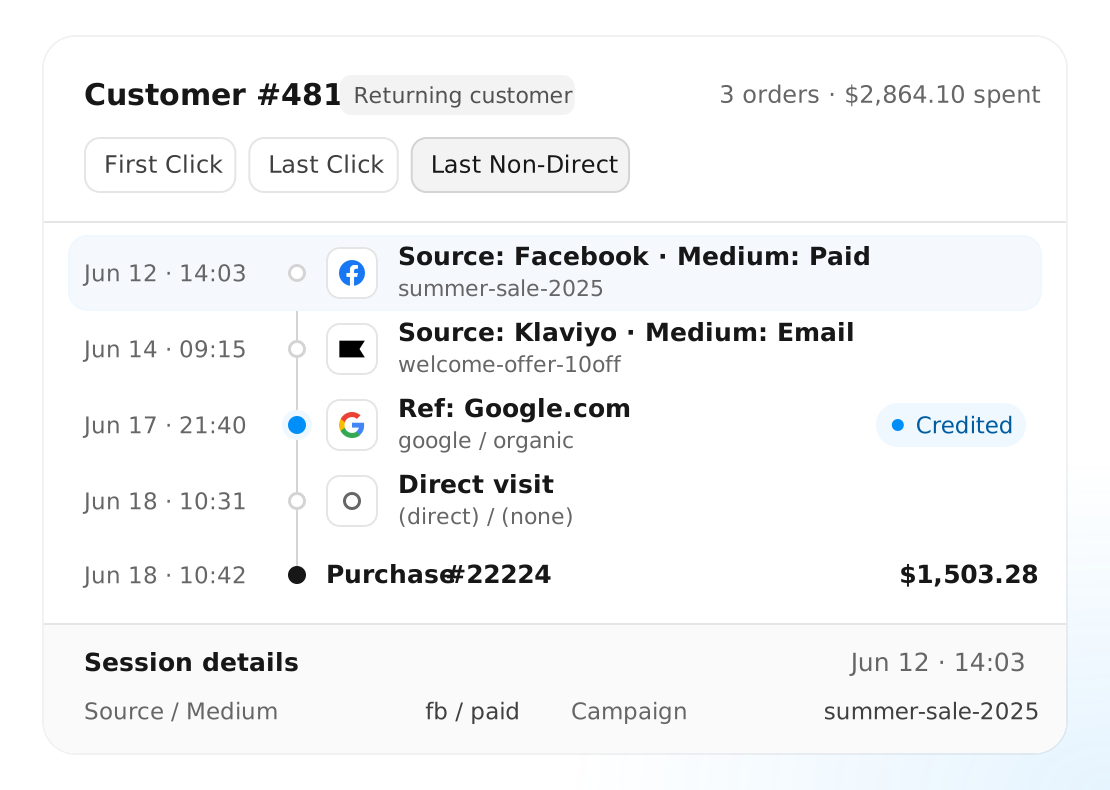
A shopper may discover your products before Black Friday, return through an email, and buy during the sale. Purchase Attribution shows the recorded channels and campaigns along that journey.
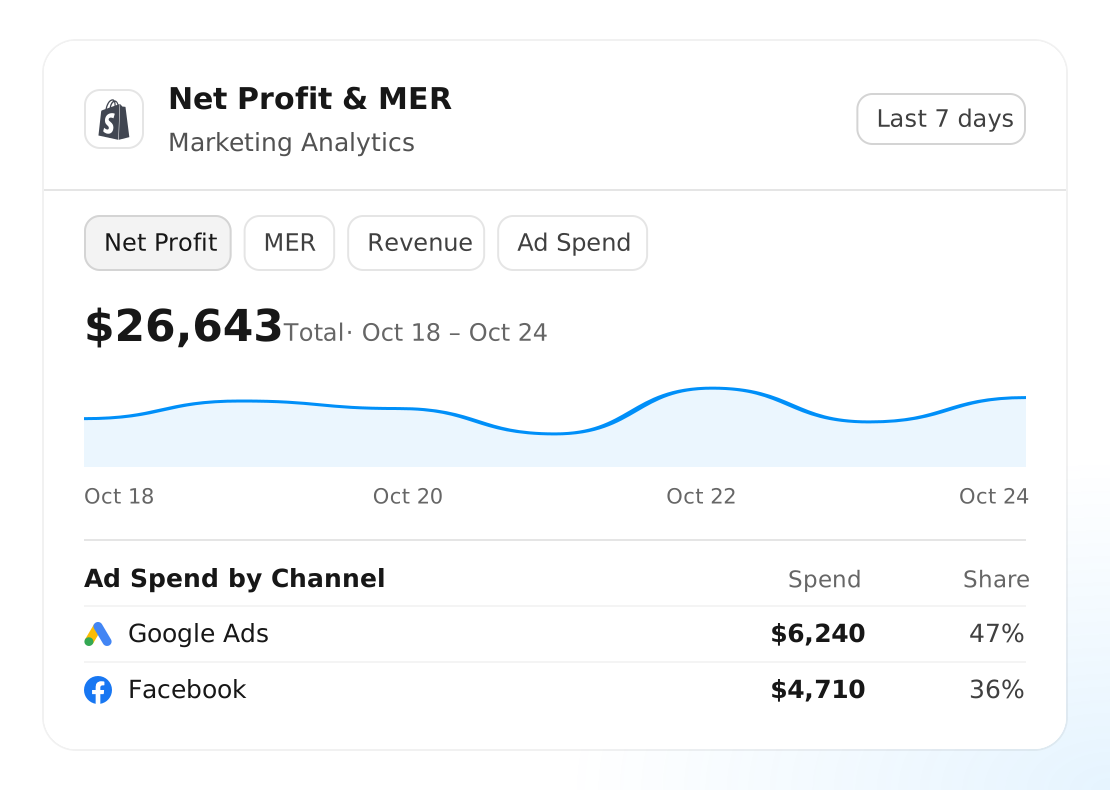
Bring Shopify sales and connected marketing reports into one dashboard. Review campaign performance and marketing efficiency while your Black Friday campaigns are running.
Get expert help to set up and validate your tracking before budgets rise.
Real examples from Shopify stores with missing events, duplicate tracking, and unreliable reports.

Customhoj faced duplicate events, broken purchase tracking, and inconsistent GA4 data. We rebuilt the setup and restored reliable conversion measurement.
97%
Match rate between GA4 and Shopify

Bad.no moved to Shopify Plus with overlapping scripts and conflicting reports. We rebuilt the setup with server-side tracking.
100K+
Orders with reliable attribution
Our Professional Implementation service covers the audit, configuration, and validation of your tracking setup.
We work through your store’s platforms and requirements so you know what is connected and how it has been checked.
Review existing integrations, pixels, and key events. Identify missing data, overlapping tags, and configuration issues before making changes.
Connect the selected platforms, address conflicting tracking, and configure the relevant order controls. Review market-specific requirements when your store sells across regions.
Test key customer flows and check event delivery, purchase parameters, duplication, and consent behavior. Confirm the setup before increasing campaign spend.
No. Choose exclusions around your campaign goals and the controls supported by each integration. A retail acquisition campaign may need a different set of purchases from a campaign supporting wholesale or in-store sales. Exclusions control the purchase data sent to your ad platforms; the orders stay in Shopify.
Allow time to review the existing setup, provide account access, make changes, and validate events before your campaign budgets increase. The work required depends on your current tracking, integrations, and store configuration.
An active integration tells you it is connected. Before Black Friday, also check event coverage, purchase values, duplicate tracking, and whether events reach the intended platforms. Those checks help establish what your current setup is actually doing.
They can use different attribution models and reporting rules. Analyzify helps you inspect recorded journeys and compare performance, so you can understand differences and investigate tracking problems without expecting every report to match.
The right choice depends on your order volume, reporting needs, and setup requirements. Review the current plan comparison or talk to our team about the features shown here and the implementation support you need.
Yes. Analyzify supports market-specific tracking settings, including different Google Ads accounts and conversion actions. If you need separate pixels or destinations for individual markets, share that requirement so our team can confirm the appropriate setup.