Customer Segments

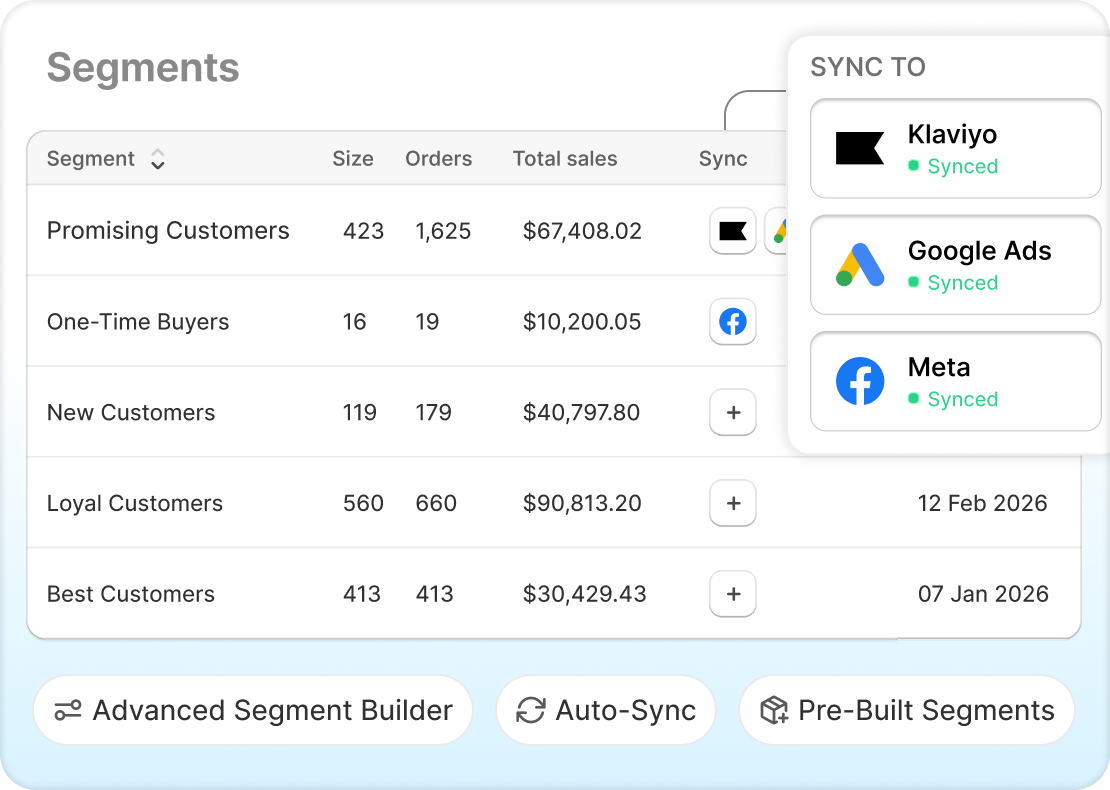
Build targeted customer segments from your Shopify data and sync them to Meta, Google Ads and Klaviyo automatically.

Segment Your Customers and Sync Them to Ad Platforms

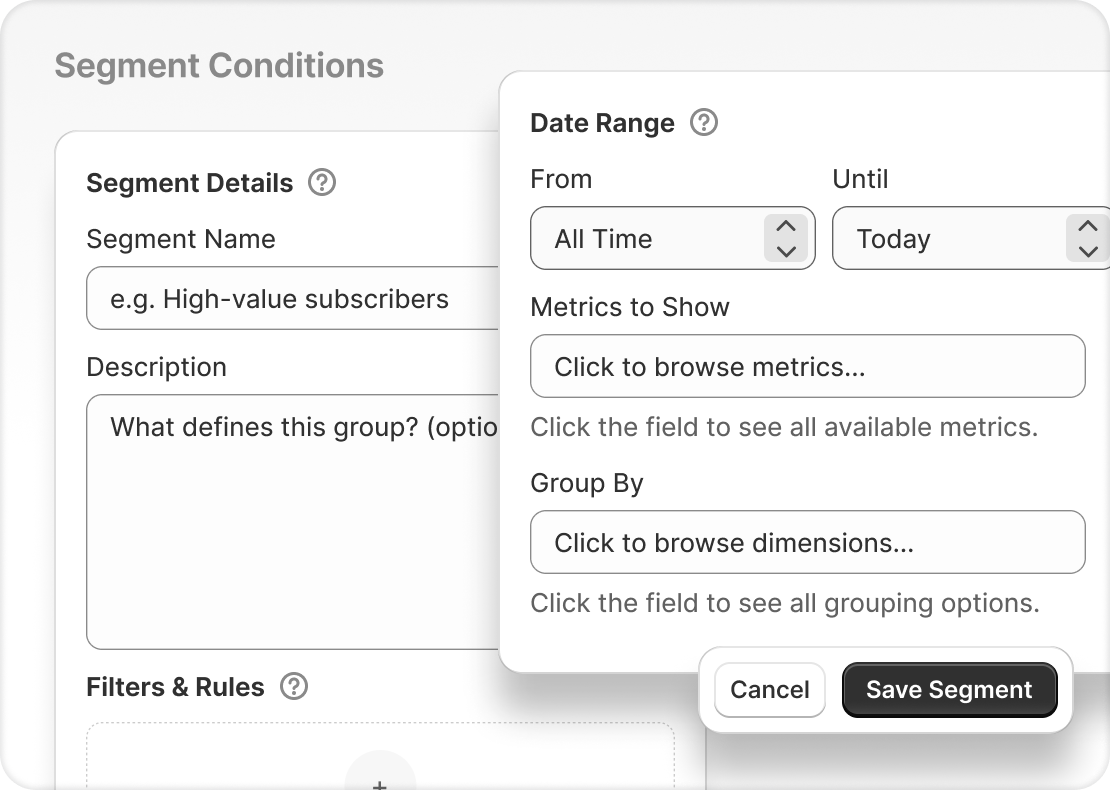
Analyzify Segments uses ShopifyQL-based filters across 25+ fields like order count, location, purchase frequency, RFM group, and product type. Combine conditions, preview matching customers, and sync when ready. 

Segment Your Customers and Sync Them to Ad Platforms

How Analyzify Segments Works

icon

Choose a Starting Point

Start from 10 ready-made templates or build a custom segment from scratch. 

icon

Preview Before Saving

 See matching customers and key metrics in real time before activating anything. 

icon

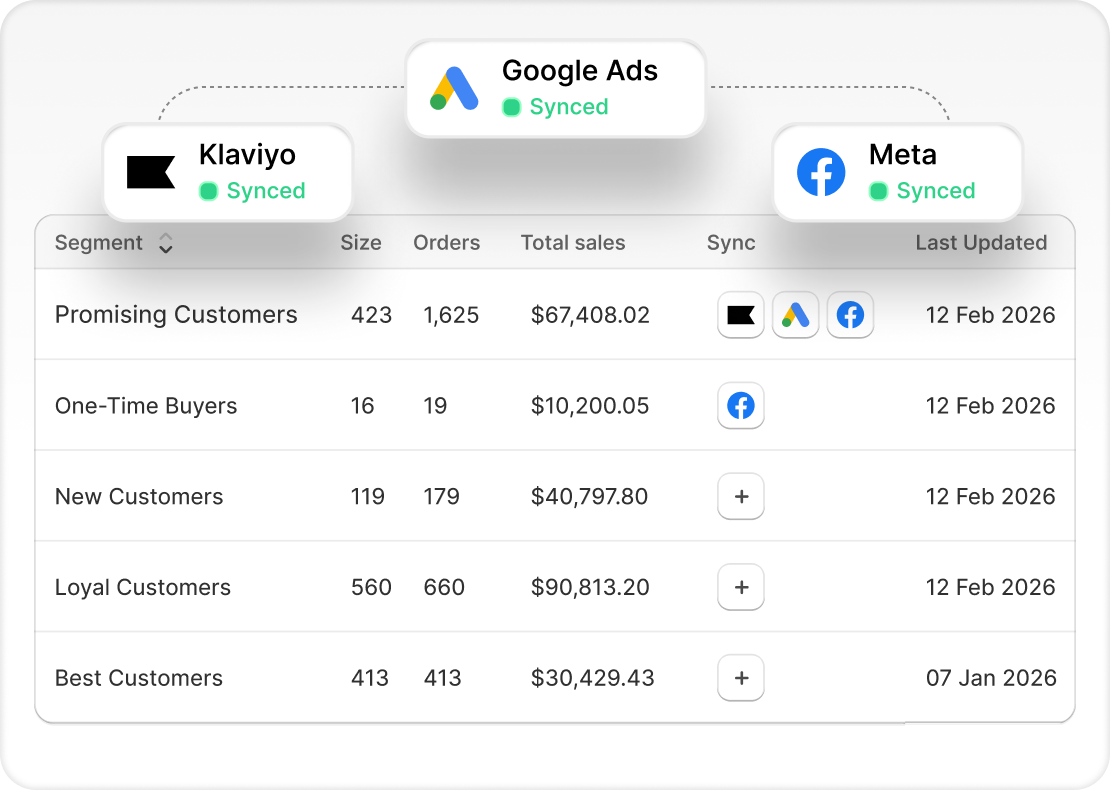
Sync to Ad Platforms

 Push saved segments to Meta, Google Ads or Klaviyo. Lists update automatically. 

Your segments, pre-built and ready to go

10+ expert-built segment templates, organized by Loyalty, Behavior, and Retention. Each one comes ready to use with predefined conditions, so you can spend less time building audiences and more time acting on them. 

Build the exact segment you have in mind

Not every business fits a template. Use the Segment Builder to create custom audiences based on purchase behavior, RFM scores, and behavioral rules with as much or as little complexity as you need. 

See the value behind every segment

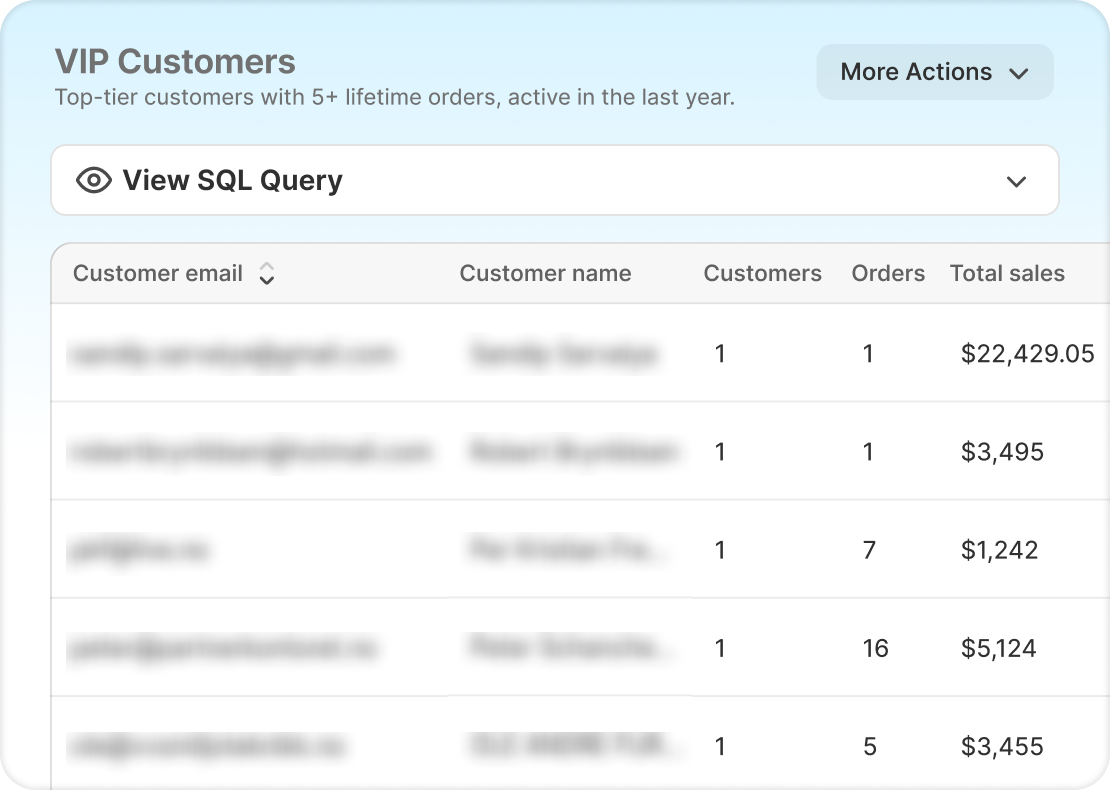
Every segment comes with a report showing revenue, order volume, and customer behavior. Before you push an audience to Google Ads, Meta or Klaviyo, you can check:

  • How much revenue this customer group generated
  • Their average order value and purchase frequency
  • Discount usage and return rates within the group

Push your segments directly to your ad platforms

Sync your segments directly to Meta, Google Ads, or Klaviyo in one click. Or export as a CSV and take your audiences anywhere. Run lookalike campaigns on your best customers, suppress recent buyers from acquisition ads, or re-engage at-risk segments before they’re gone. 

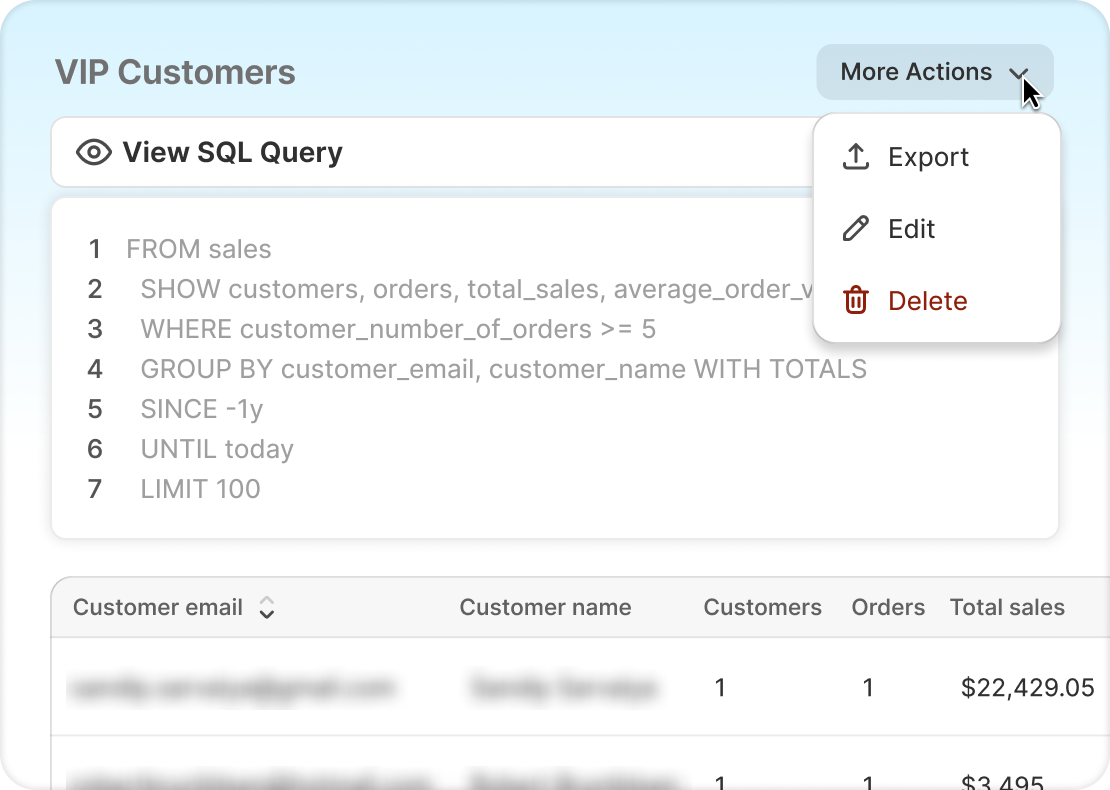
Auto-Generated ShopifyQL Queries

As you add or change conditions, Analyzify generates a ShopifyQL query in real time. You see the exact query behind each segment, and it updates instantly with every filter change. 

analyzify logo

Explore Segment Templates by Category

Loyalty, Behavior, and Retention - pick a template, edit the conditions if needed, and save it as an active segment. 

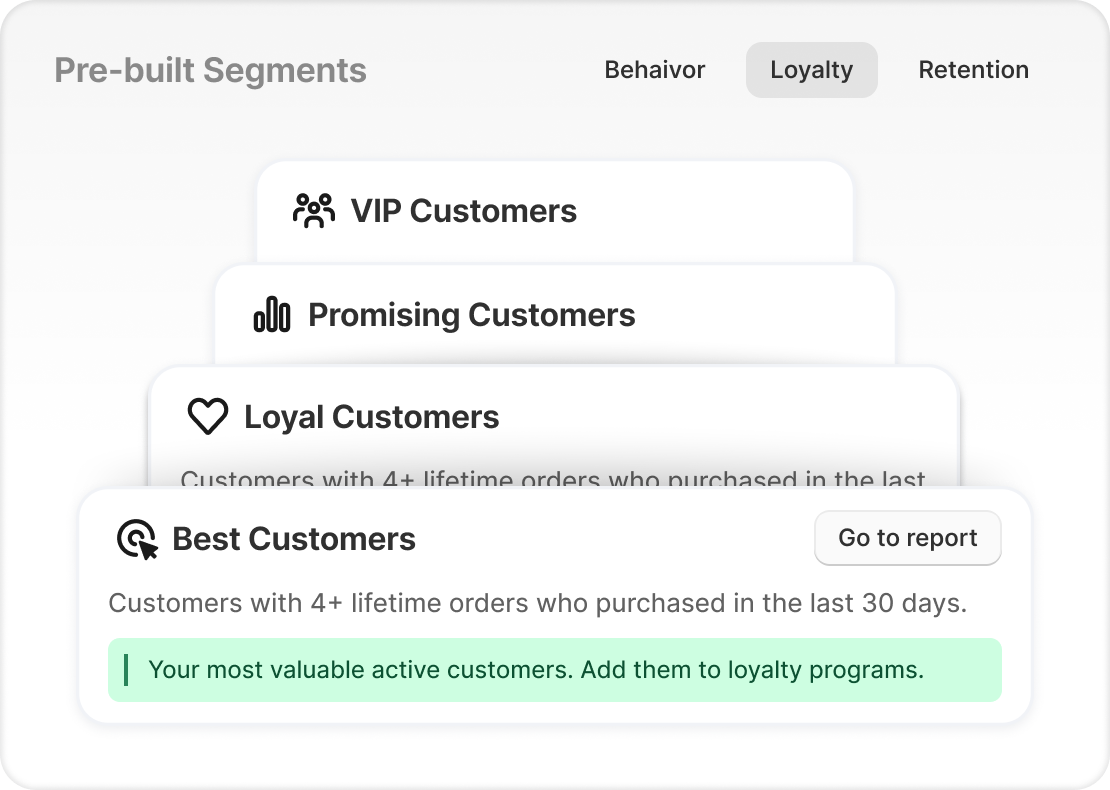
 Four templates targeting high-value and repeat customers: 

  • Best Customers: 4+ lifetime orders, purchased in the last 30 days
  • Loyal Customers: 4+ lifetime orders, purchased in the last 6 months
  • Promising Customers: 2-3 lifetime orders, purchased in the last 6 months
  • VIP Customers: Top-tier customers with 5+ lifetime orders, active in the last year.

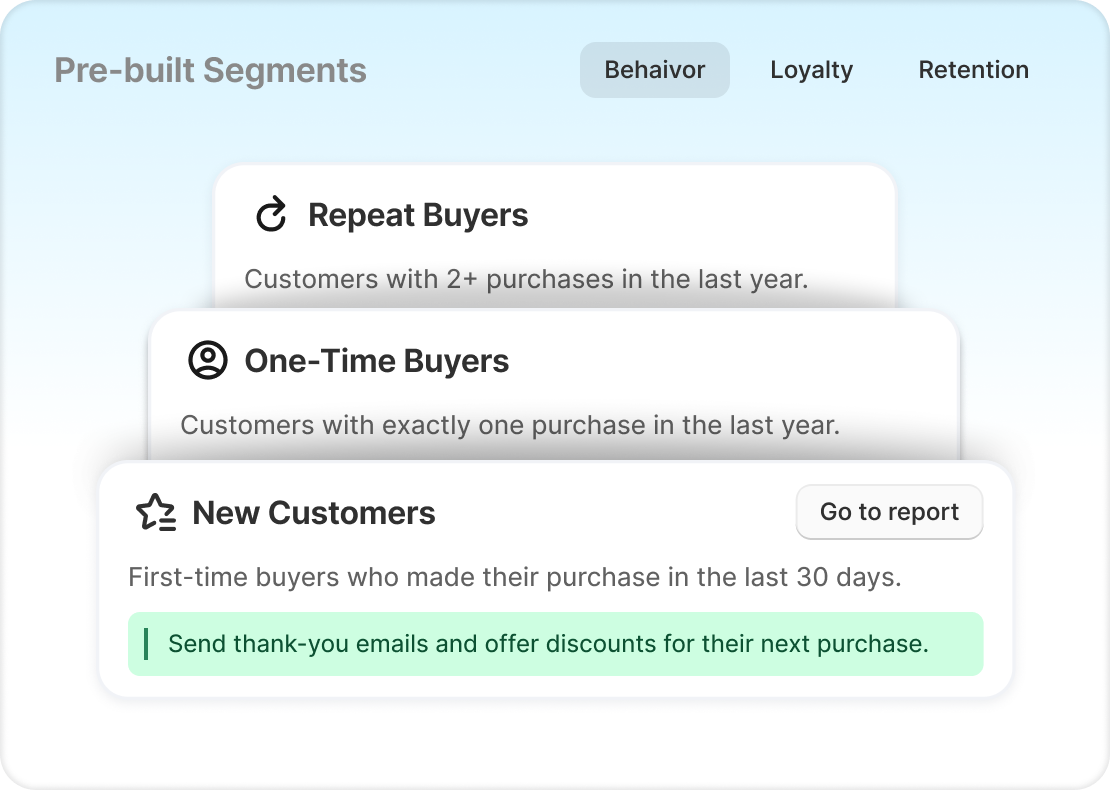
 Three templates based on purchase activity: 

  • New Customers: first-time buyers in the last 30 days
  • One-Time Buyers: exactly one purchase in the last year
  • Repeat Buyers: 2+ purchases in the last year

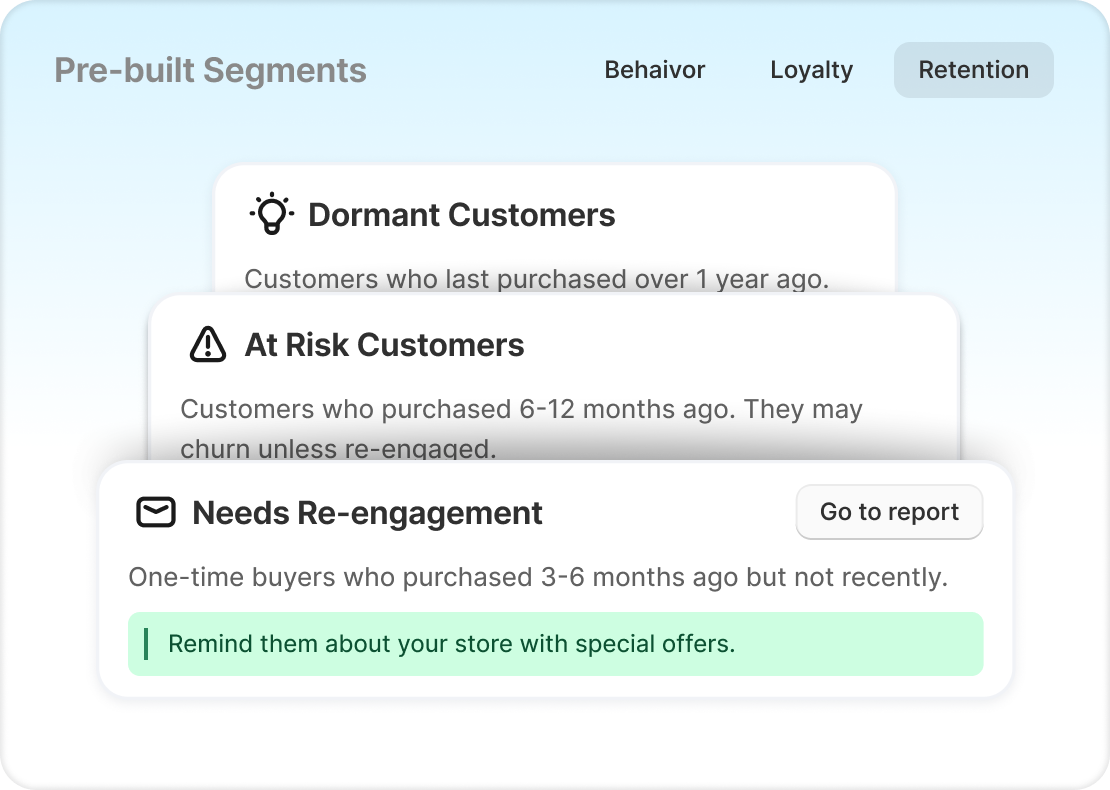
 Three templates focused on churn risk: 

  • Needs Re-engagement: one-time buyers who purchased 3-6 months ago but not recently
  • At Risk Customers: purchased 6-12 months ago, may churn unless re-engaged
  • Dormant Customers: last purchased over 1 year ago

Analyzify Segments vs The Manual Way

Most stores build audiences by exporting CSVs and uploading them to ad platforms one by one. Analyzify Segments handles it from one place. 

The Manual Way

close icon
Export customer lists manually from Shopify
close icon
Filter and clean data in spreadsheets
close icon
Upload CSVs to each ad platform separately
close icon
Lists go stale the moment you export them
close icon
Repeat the process every time you need an update
analyzify icon

Analyzify Segments

check icon
Filter customers using 25+ fields inside your Shopify admin
check icon
Preview segment results with revenue and order data
check icon
Audiences sync to Meta, Google Ads and Klaviyo daily
check icon
Segments update automatically as customer data changes
check icon
One setup, ongoing targeting
cta mask

Build and sync customer segments with Analyzify

Get Started Now Get Started Now icon