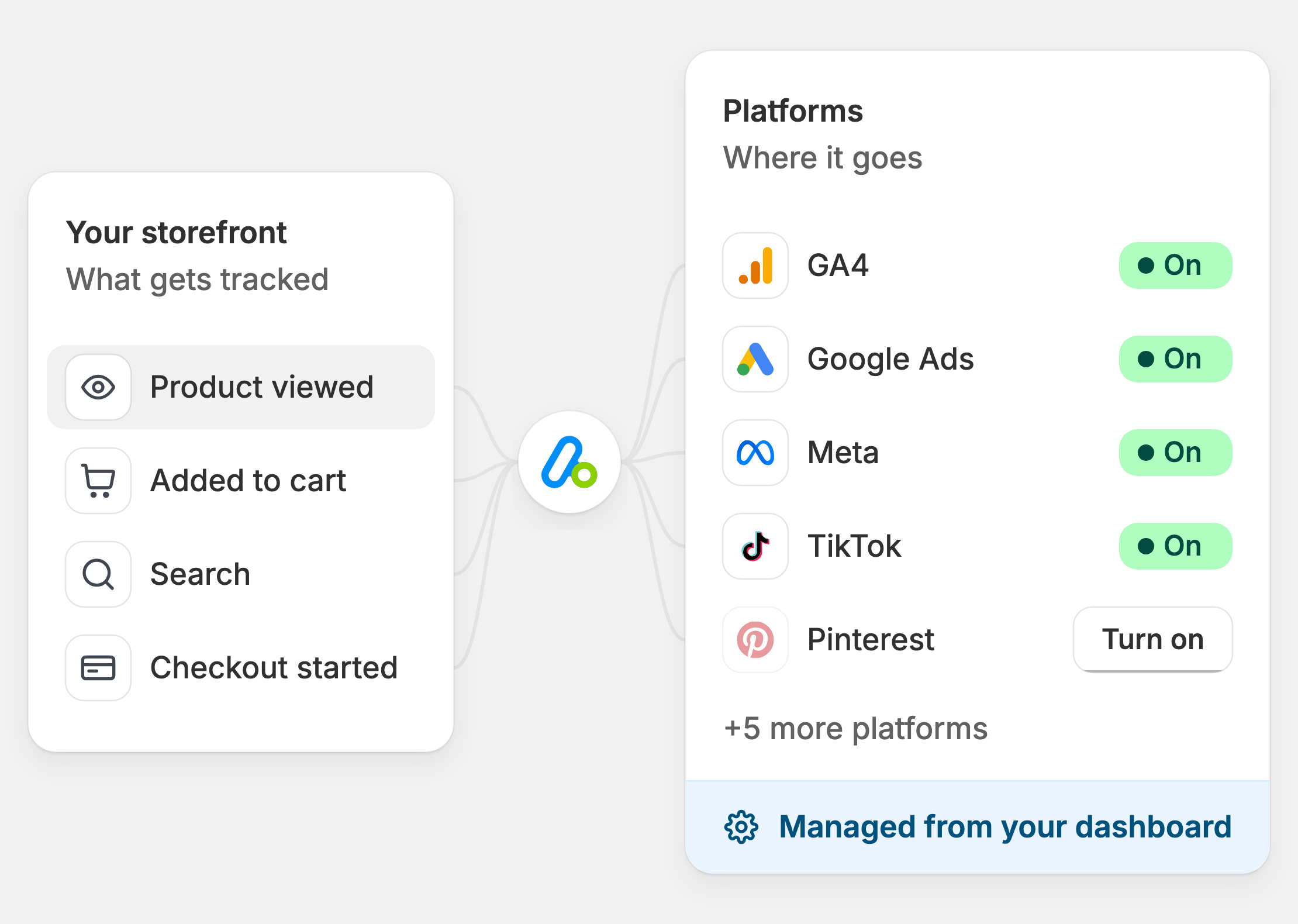
Analyzify gets added to your storefront once, by your developers or by ours. After that it is yours to run: switch a platform on, update an ID, change your consent settings, all from your dashboard. No developer ticket, no waiting for the next release.
10+ marketing platforms covered
The same coverage you get in the theme
No separate tool for each channel
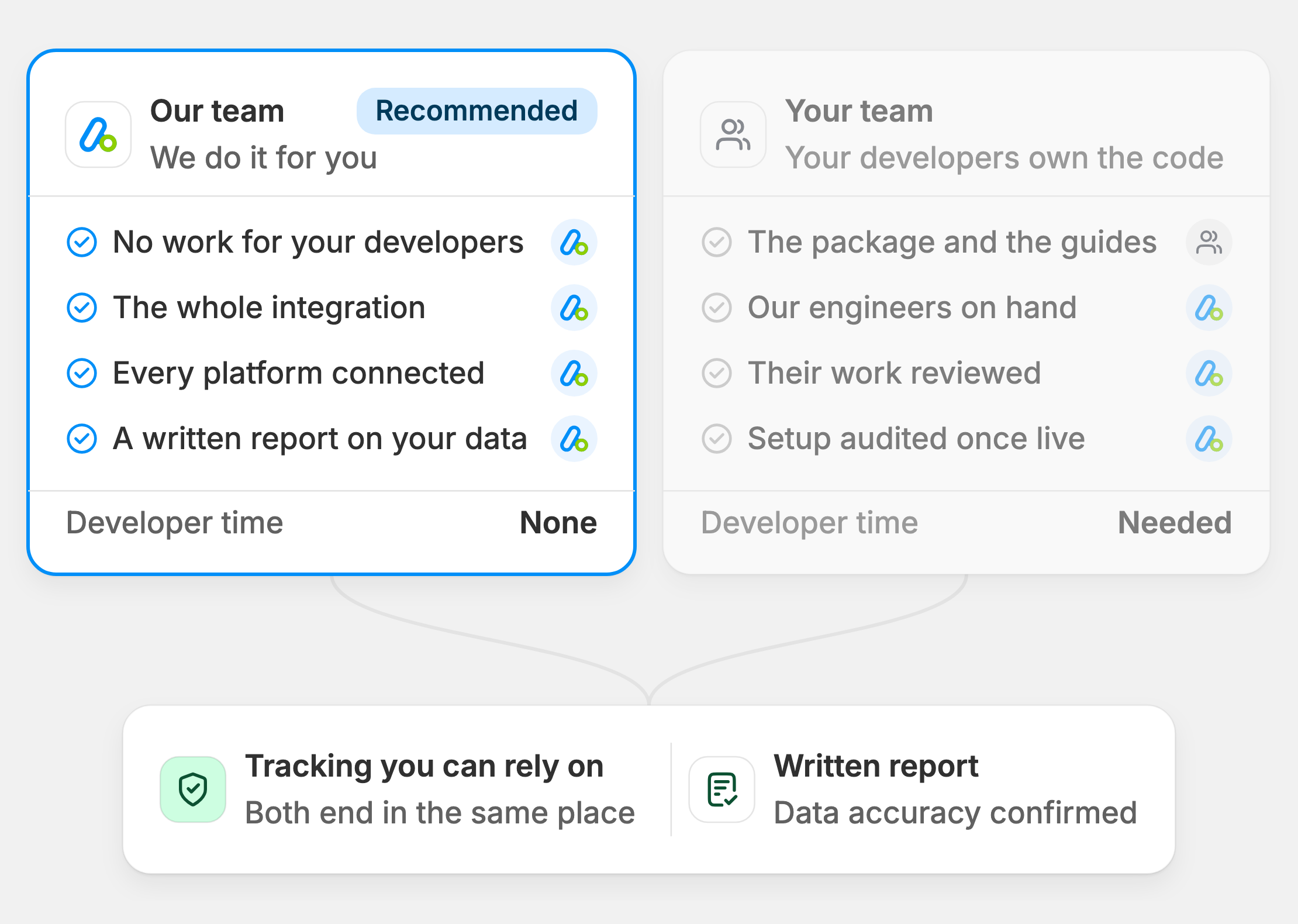
Some teams want their developers to own the code. Others would rather it was done for them. Both end in the same place: tracking you can rely on.
Almost everything you had before comes with you. A few things work differently, and we would rather you knew now than after launch.
The tracking depth of our theme integration, on a store built however you like.
Yes. Customer details are protected before they ever leave your store, and your shoppers' consent choices are respected on every event. Your platform settings are managed in Analyzify, so nobody on your team needs to edit website code to change them.
No. Someone technical does need to touch the storefront once, and that can be your developer or ours. After that, running your tracking is a dashboard job like it always was.
Yes. Currency and language are reported for every page. If your markets run on separate domains we set the consent and cookie side up for each one.
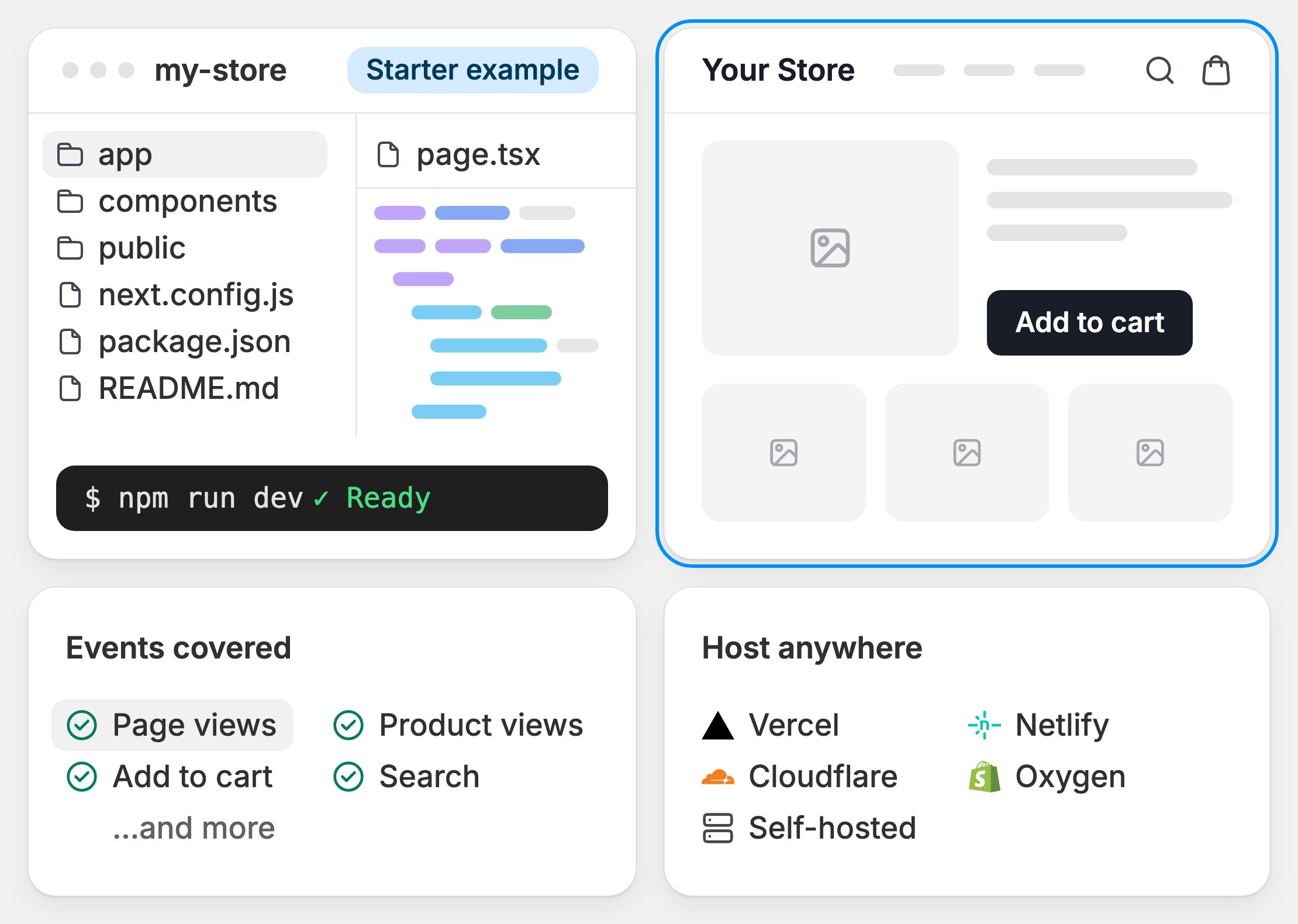
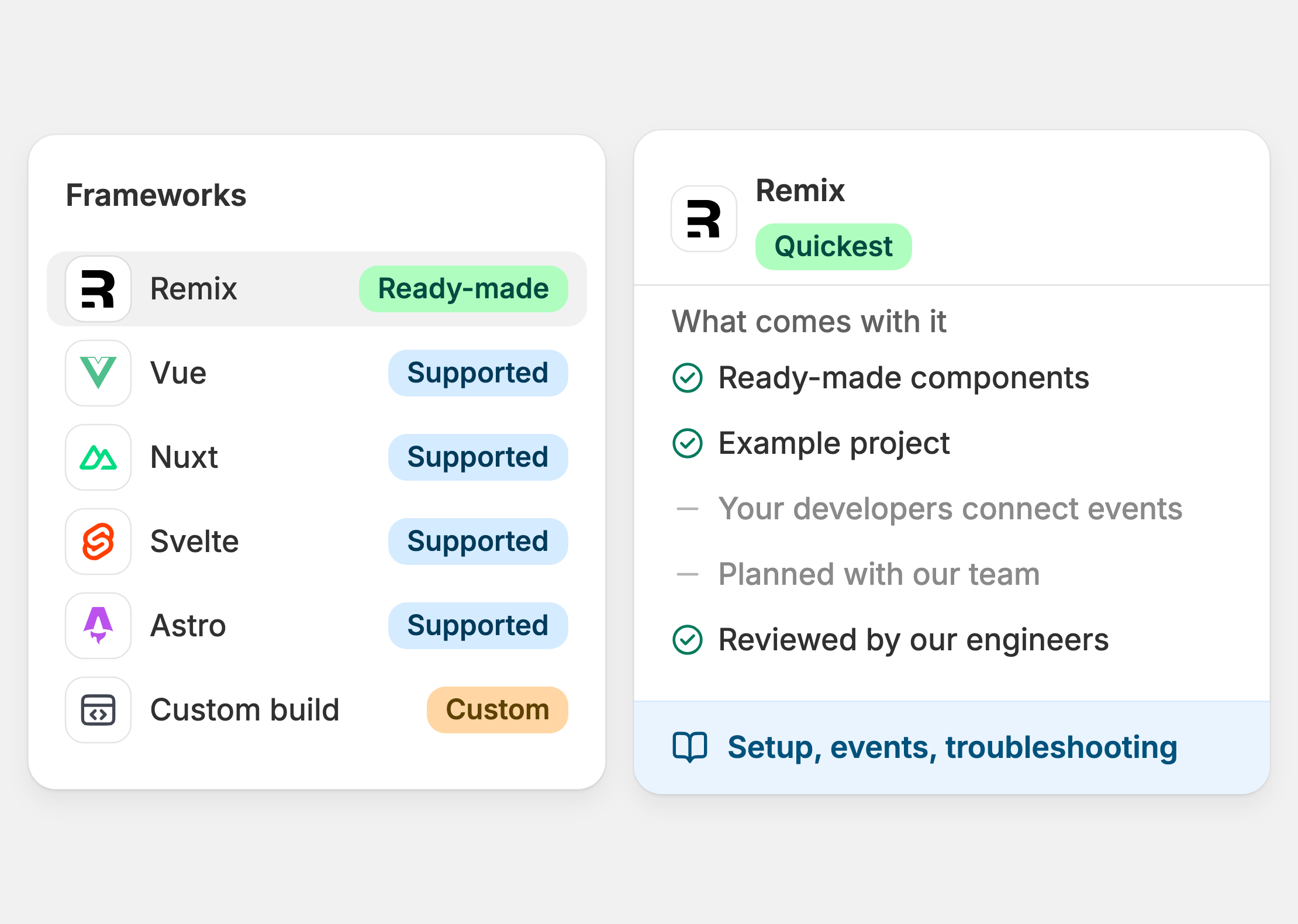
On Next.js, Hydrogen or Remix, they start from a working example and most of the tracking is already written for them. On other frameworks they connect each event themselves, which takes longer. Our engineers review their work either way, and if you would rather not involve your developers at all, our team can do the integration.
No. Vercel, Shopify Oxygen, Netlify, Cloudflare and your own servers all work. If your site has strict security rules in place, your developers add Analyzify to the approved list first.
Next.js, Shopify Hydrogen and Remix are the quickest, because ready-made components and an example project come with them. Vue, Nuxt, Svelte, Astro and other frameworks are supported too, with a little more work for your developers.
Yes, and this is the part most teams notice first. Adding a platform, updating an ID or changing your consent settings all happen in your Analyzify dashboard and take effect straight away. You do not need a developer and you do not need to wait for your next release.
They need to share the same root domain, for example brand.com and checkout.brand.com. If your checkout still runs on a myshopify.com address, consent and shopper data will not follow customers into checkout, so we would recommend setting up a proper checkout domain first.
It depends on how your store is built, how you take payment and whether you need server-side tracking. A Next.js or Hydrogen store on Shopify checkout is quick. A heavily custom build is more of a project. Tell us those three things and we will give you a realistic answer rather than a guess.
If you already use Analyzify, your platform settings carry over on their own and there is nothing to redo. The one thing worth planning is when the old theme gets switched off, because if both run at once your orders get counted twice. We help you time it.
Yes, with two conditions. Shoppers need to pay through Shopify checkout, and your developers need to pass a little extra information along with the cart. Your theme did that for you automatically, so on a headless store it is a piece of development work we scope with you before we start.
Almost everything. Every marketing platform, consent mode and your Google Tag Manager setup come with you. Automatic form tracking, 404, video and image tracking, refund tracking and the LinkedIn Insight Tag are not part of the headless SDK. The section above lists this in full so there are no surprises later.
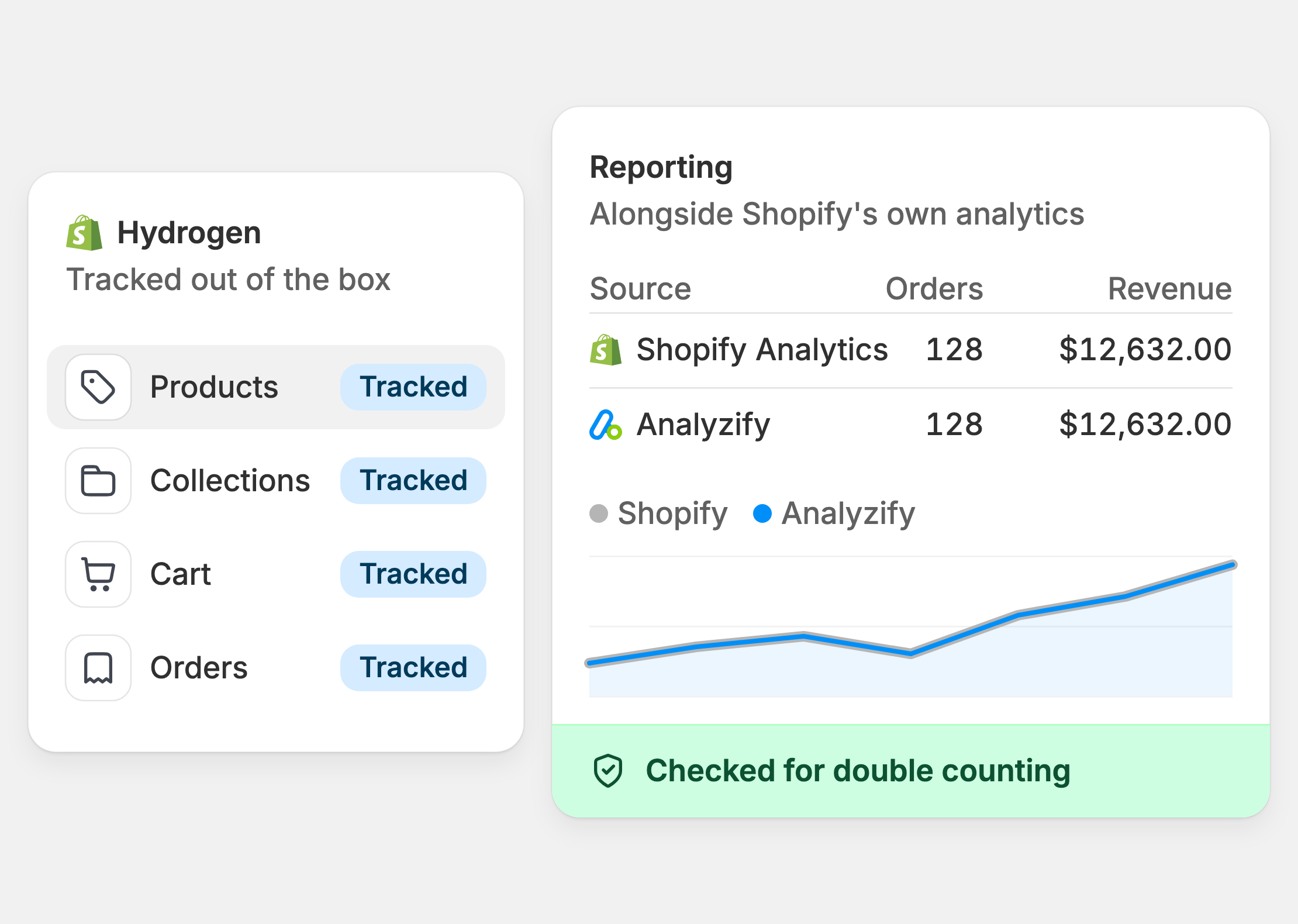
Yes, as long as shoppers pay through Shopify checkout. That part is handled by Analyzify's pixel in your Shopify admin rather than by the code on your storefront, so it keeps working exactly as it does today. If you built your own checkout, we can still send the order, but without the extra accuracy that server-side tracking and refunds give you.
No. The Headless SDK is part of the Analyzify Plus plan, which is our plan rather than Shopify's. It works on any Shopify plan.
Get in touch and our team looks at it. Because your settings live in your Analyzify dashboard, we can check them with you rather than sending you back to your developers first.
Consent Mode v2 is included, and nothing is sent to your platforms before a shopper agrees. Cookiebot works right away. Other banners such as OneTrust and Osano need one short piece of code from your developer. If you sell in Europe without a banner at all, expect your Google data to be incomplete there.