



Your Shopify store cannot be recommended if search engines and AI tools cannot understand it. Risify builds the structure they need, and then shows you whether they are recommending you.
ChatGPT, Claude, Google AI Mode, Google, Bing: they all need structured signals to understand what you sell. Without that infrastructure, you’re invisible, however good your products are.
Risify is built for exactly this. Everything runs inside your Shopify admin, because you shouldn’t need five different tools to make your store understandable. One place, full control, and a way to see the results.
If you want to check where your store stands before installing anything, try the free AI & Search optimization tools by Risify.

Shopify SEO App Risify Is Live
What Risify Does and Why It Matters to You
Structured Data for AI and Search Visibility
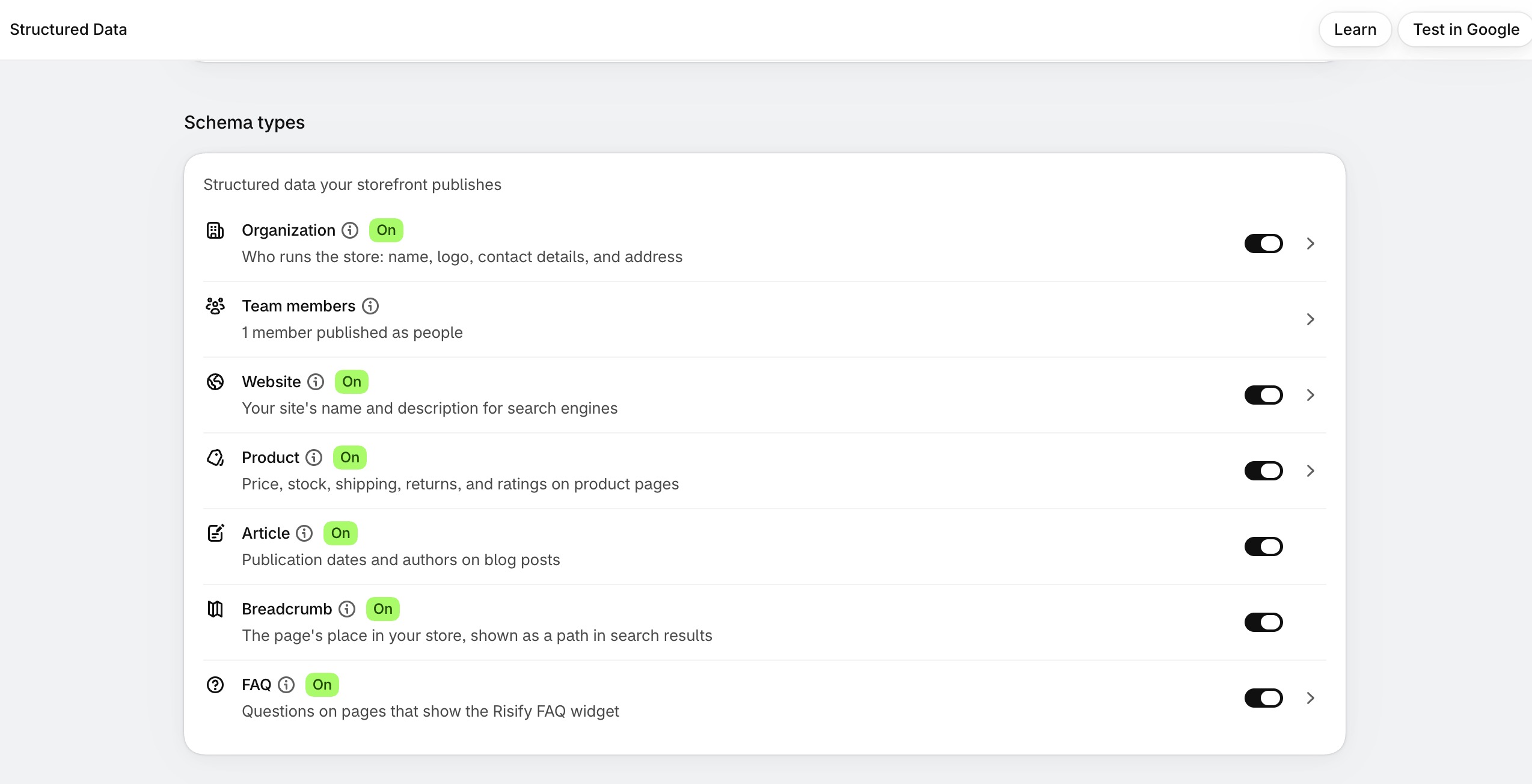
Search engines and AI tools can’t guess what your products do or how customers rate them. They need clear signals. Risify publishes structured data for products, organization, website, team members, articles, breadcrumbs and FAQs, each with a switch, with multi-language support and a built-in way to check the output. When someone asks for what you sell, the systems answering them know you have it.
Clear Breadcrumb Navigation
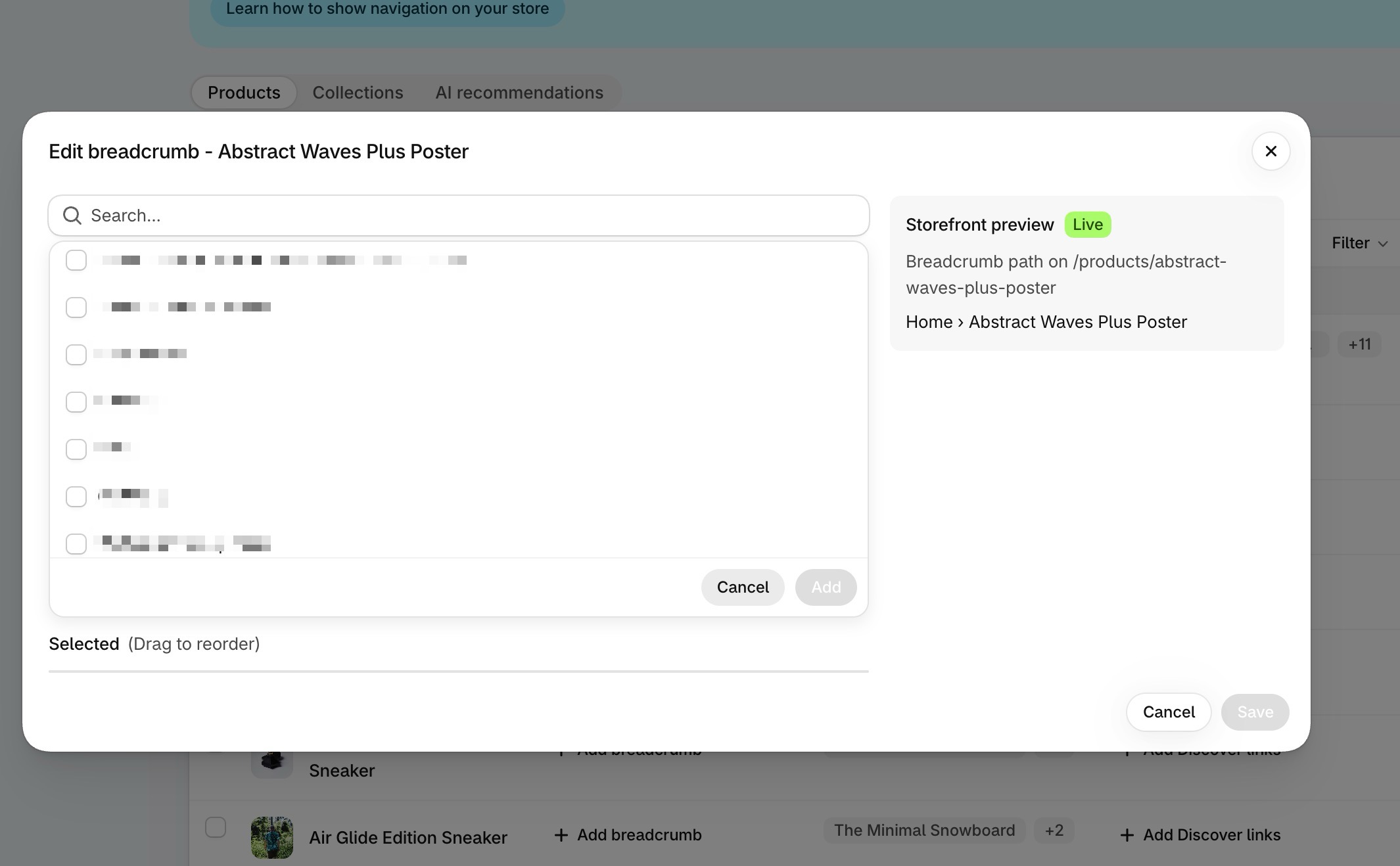
Shopify’s breadcrumbs disappear when customers land on a product page from search or an AI answer. No trail, no context, just confusion. With Risify, every visitor sees where they are in your store regardless of how they arrived, and search engines and AI tools read your hierarchy on every page. Risify AI can map the paths for you.
Centralized FAQ Management
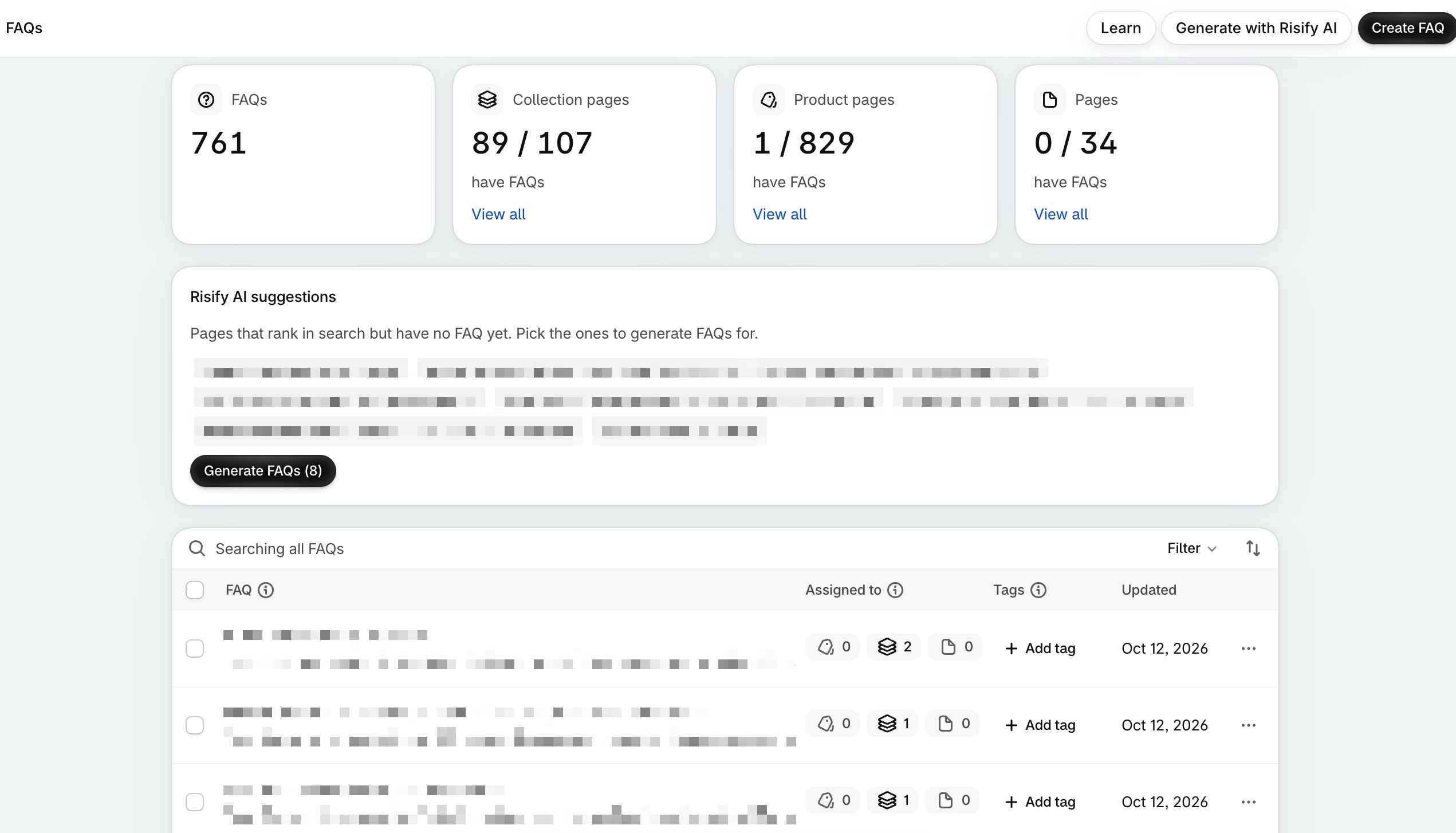
Tired of copying the same answers across dozens of products? Write a FAQ once, assign it to any product, collection or page, and update it from one place. Every page with FAQs carries FAQ structured data, which gives AI tools direct answers to draw on, and a coverage view shows which pages still have none. Risify AI writes them in your brand voice if you’d rather not.
Better Collection Navigation
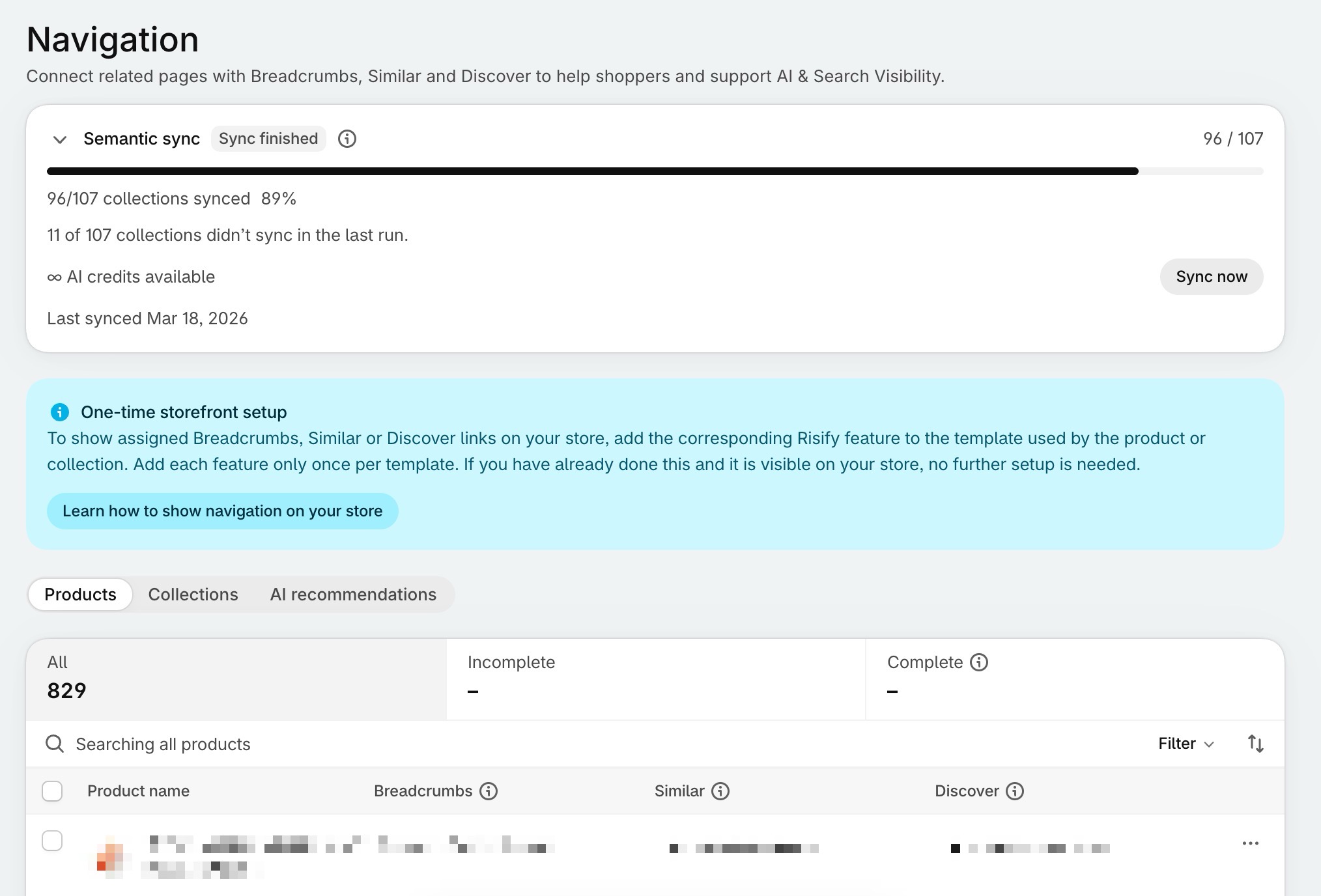
Your store has collections that belong together. Show them. Similar puts related collection cards at the top of a collection page; Discover adds related links at the bottom, so shoppers reaching the end of a page have somewhere to go next. Both create the internal links that tell search engines and AI tools how your catalog connects, and Risify AI recommends them for your whole store.
Meta Tags Without the Grind
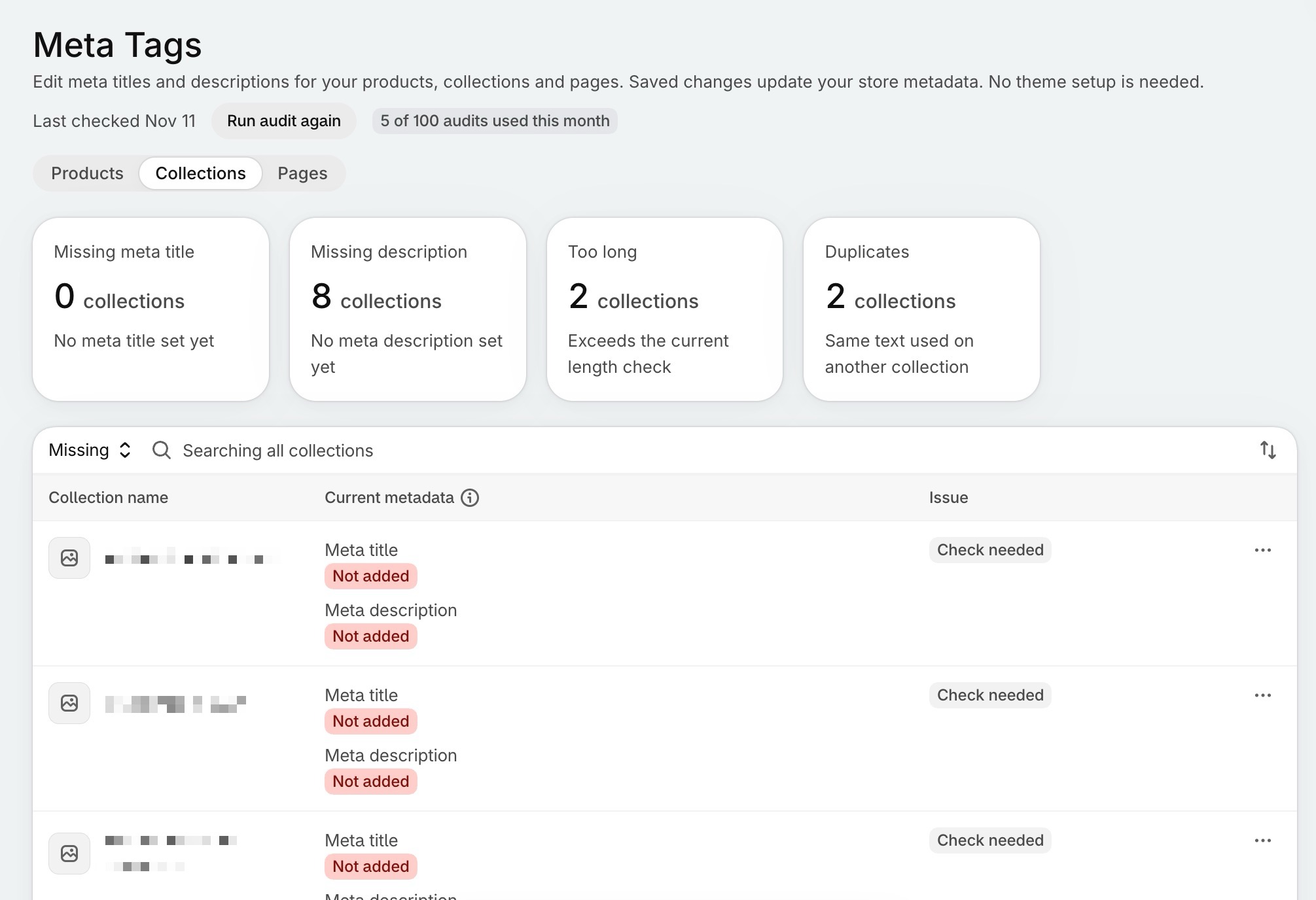
Opening 200 products to edit meta tags one by one is soul-crushing work. We know because merchants told us. Now you see every product, collection and page in one view, with counts of what’s missing, too long or duplicated. Edit with a Google preview, or let Risify AI write up to 50 at a time. Done in minutes instead of hours.
An Audit That Covers Search and AI
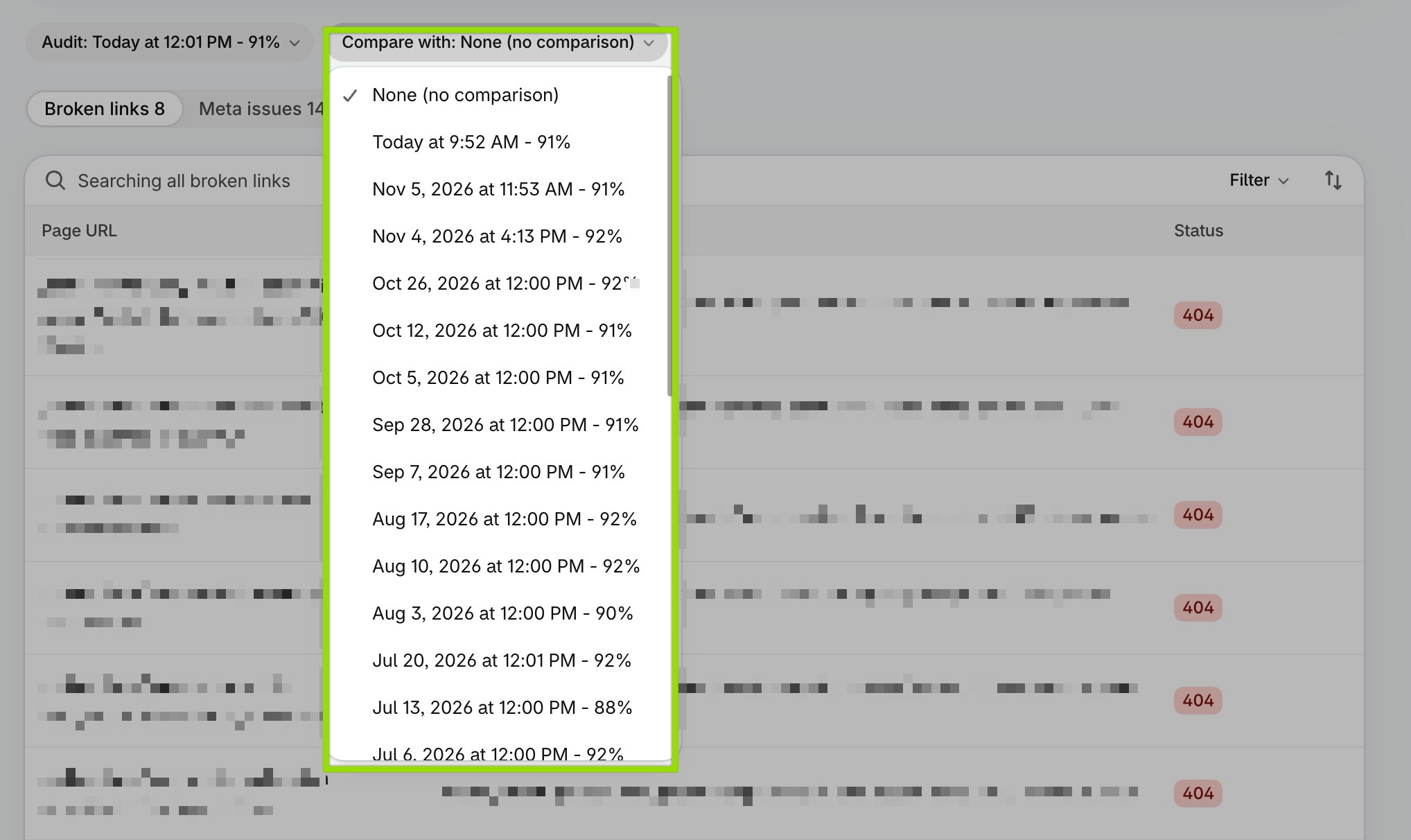
The AI & Search Audit scans your store for broken links, meta issues, schema errors and page speed problems, scores it out of 100, and shows the trend across audits. It runs every week on its own, and you can compare any two audits to see what you fixed.
AI & Search Tracking
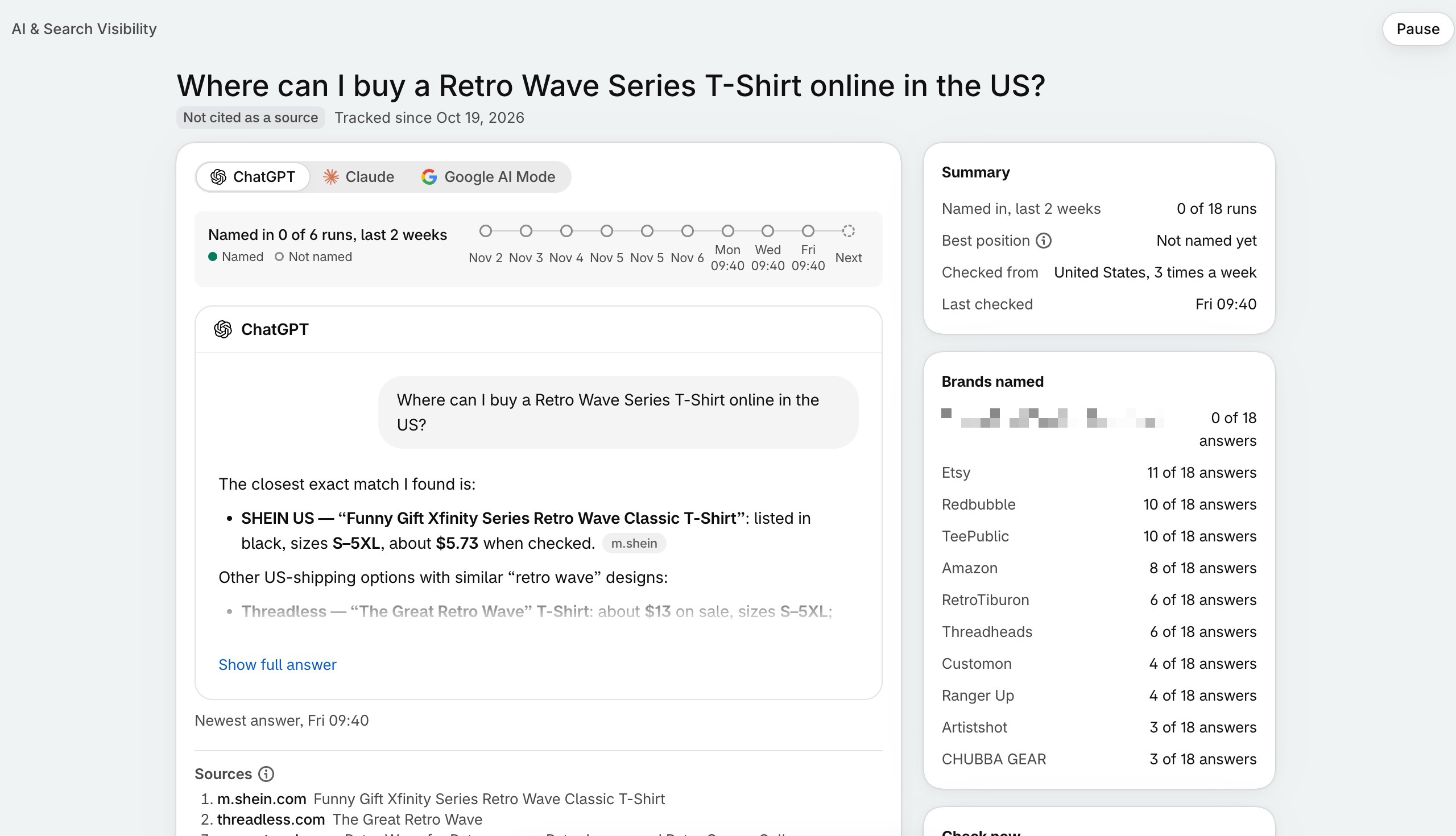
You need to know if the work is paying off. Keyword Rankings tracks your Google positions and flags when the wrong page ranks for a keyword. AI Visibility tracks the AI answers. Search Console data sits alongside. No spreadsheets, no external tools, just clear data inside Shopify.
This Is What Happens Next
You install Risify. You turn on structured data, let Risify AI map your breadcrumbs and related collections, add FAQs, and bulk-edit those meta tags you’ve been avoiding. You add the questions your shoppers ask AI tools, and the keywords that matter to your business.
Then search engines and AI tools start understanding your store. Your pages show up with clear information. Customers find you when they search, and when they ask. And you can see it happening, prompt by prompt and keyword by keyword, instead of guessing.
The stores winning in search and AI answers right now have solved these exact problems. Risify lets you compete on what matters: your products, your service, your brand.
Ready to Be AI Visible?
Risify is in the Shopify App Store. Install it, build your visibility, and start growing.
 Built for Shopify Stores – Improve SEO and Conversion Together

Structure Your Store for Better Rankings and Higher Sales
Risify adds smart navigation, redirects, related search, and product filters – all without code.Frequently Asked Questions
Risify is a Shopify app that helps search engines and AI tools understand and recommend your store. It builds the structure behind your products, collections and content, and tracks whether Google, ChatGPT, Claude and Google AI Mode surface your store when shoppers search or ask.
Search engines and AI tools rely on structured signals: structured data, navigation paths, FAQs and clear metadata. Risify adds and manages these signals inside your Shopify admin, making your store easier to understand, index and surface in search results and AI answers. Its AI Visibility feature then shows you whether that is happening.
Risify runs entirely inside your Shopify admin. You do not need external dashboards, third-party SEO tools or manual code edits.
No. Risify is designed for merchants and teams who want control without complexity. You do not need to write code or understand schema syntax, and Risify AI can do much of the mapping and writing for you.
No. Risify uses Shopify's native app blocks, metafields and checkout extensions. It does not add external scripts to your storefront.
Most SEO apps focus on isolated tasks like image optimization or single-page edits, and none of them tell you what AI tools say about your store. Risify focuses on store-wide structure, the signals search and AI systems read across your entire catalog, and the tracking that shows whether they are recommending you.