









If you check your default marketing data in Shopify, you might think:
“Okay, this campaign drove the sale.”
But what you’re seeing is usually just the last step of the purchase journey. It creates a dangerous blind spot because most conversions happen differently.
The Shopify’s attribution system gives 100% of the credit to the final interaction but you don’t really know what’s driving your sales when you don’t see the full picture.
Let’s break down attribution in Shopify and how you can get more reliable attribution data.
Key Takeaways:
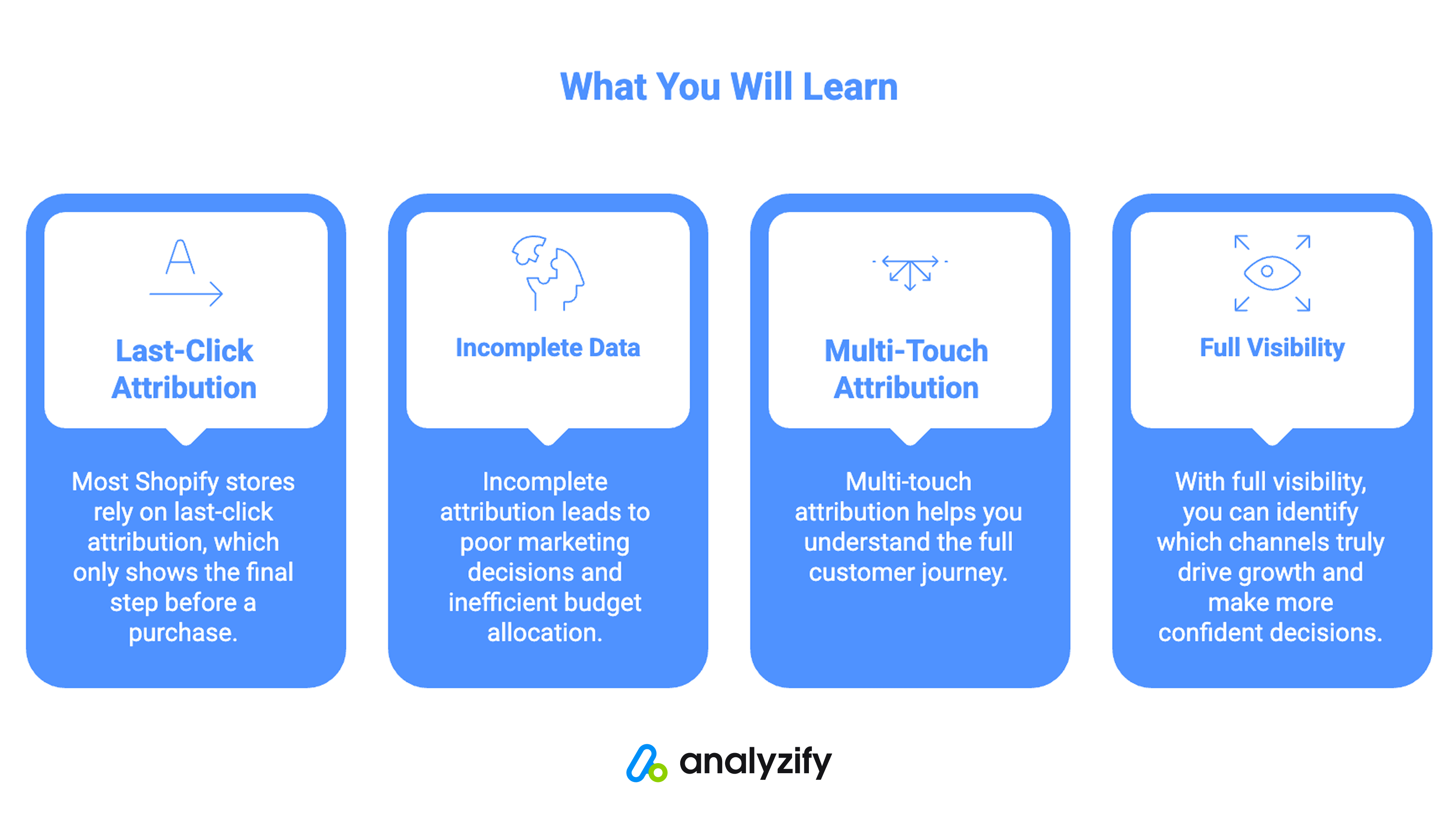
- Most Shopify stores rely on last-click attribution, which only shows the final step before a purchase
- Incomplete attribution leads to poor marketing decisions and inefficient budget allocation
- Multi-touch attribution helps you understand the full customer journey
- While Shopify focuses on the final interaction, Analyzify tracks the complete customer journey
- With full visibility, you can identify which channels truly drive growth and make more confident decisions
Understanding Shopify’s Default Attribution Data
By default, Shopify utilizes an attribution model that attributes a sale to the last touchpoint in a customer’s conversion journey.
For most store owners, this means they only see the single source that brought the customer to the site at the moment of checkout, rather than the full history of their interactions.
Let’s take a typical example. A customer:
- Sees your product in a Meta ad
- Visits your store but doesn’t buy
- Comes back two days later via Google search
- Signs up for your email list
- Returns again after receiving a campaign
- Finally completes a purchase
Now, which channel should get credit?
If you’re relying on Shopify’s default attribution or last-click models, the answer is simple: the final interaction.
But that ignores everything that happened before. And those earlier touchpoints often play a critical role:
- Paid ads generate awareness
- Email builds trust
- Search reinforces intent
When you only credit the last click, you undervalue the channels that actually start and support the journey.
What Shopify’s Native Attribution Data Misses
At first glance, last-click attribution feels logical. It shows where the conversion happened, which seems like the most important moment.
But in practice, it leads to broken insights.
You might:
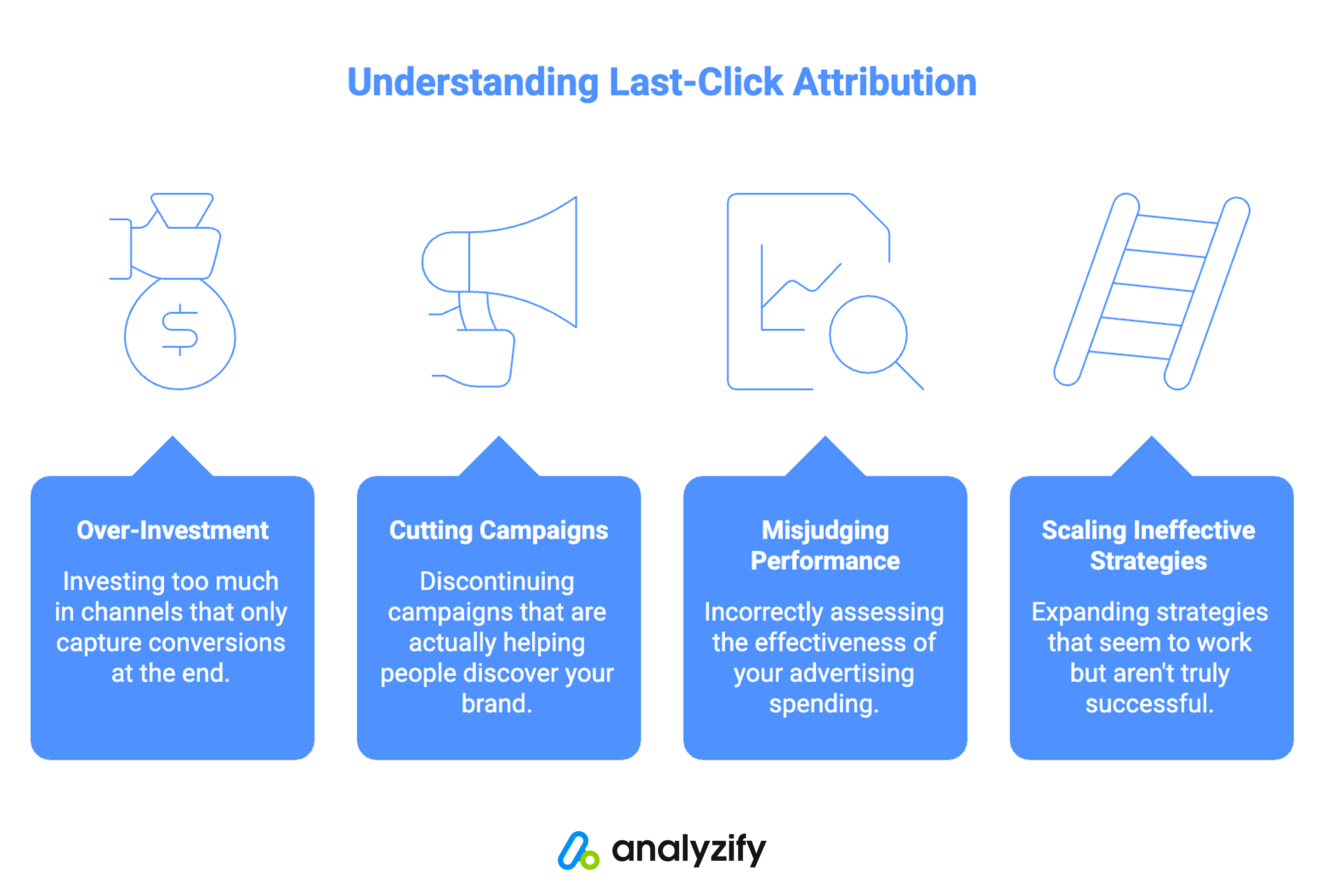
- Over-invest in bottom-of-funnel channels
- Cut campaigns that are actually driving discovery
- Misjudge the performance of your ad spend
- Scale strategies that appear effective but aren’t
For example, branded search often gets a large share of last-click conversions. But that doesn’t mean it created demand. It usually captures users who were already influenced by earlier campaigns.
Without visibility into the full journey, you end up optimizing for what’s easiest to measure instead of what’s actually effective.
Most of the time, you’ll see:
- A single source or channel tied to an order
- Minimal context about previous interactions
- No clear timeline of how the customer converted
That means you’re missing:
- The first touch that introduced the customer
- The middle interactions that built intent
- The full sequence of sessions and campaigns
In other words, you’re seeing the outcome instead of the process. And without understanding the process, it’s hard to improve it and make better marketing decisions.
How to See Advanced Attribution Data in Shopify
To make smarter marketing decisions, you need to answer questions like:
- Which channels bring new customers into my funnel?
- What touchpoints influence purchasing decisions?
- How do different campaigns work together?
- What paths do customers take before converting?
They require multi-touch visibility, so you need a more complete attribution data.
Analyzify’s multi-touch attribution tracking is built around this idea.
It captures every session and interaction across the customer journey, giving you a detailed view of how conversions actually happen.
The Orders Table
The main orders view shows every purchase alongside both Analyzify and Shopify attribution side by side.
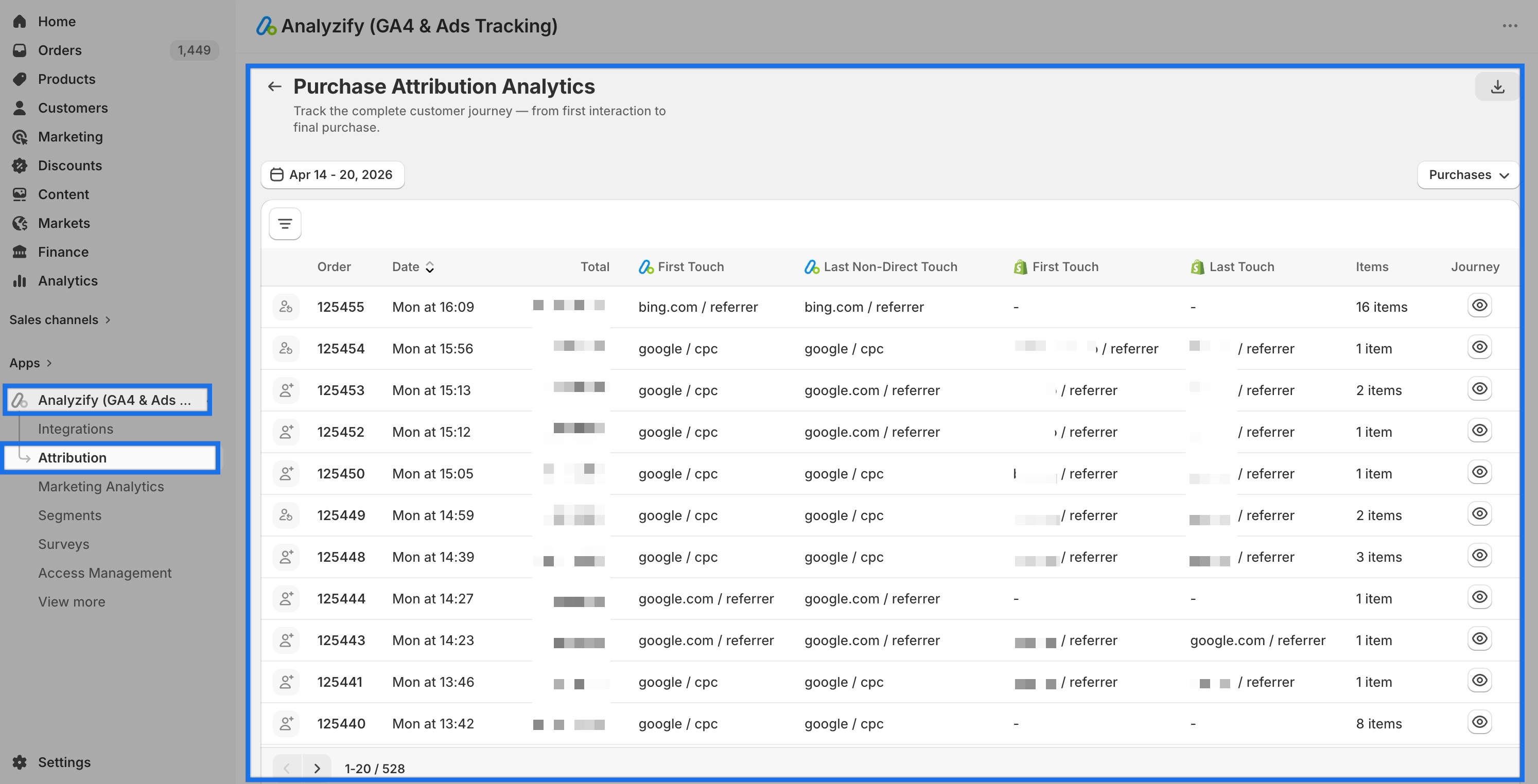
For each order you can see:
- First Touch (Analyzify): the very first channel that brought this customer to your store
- Last Non-Direct Touch (Analyzify): the last marketing channel before purchase, excluding direct traffic
- First Touch (Shopify): Shopify’s own first-touch attribution for comparison
- Last Touch (Shopify): Shopify’s last-touch attribution for comparison
- Items: number of items in the order
- Journey: a click-through to the full session timeline
Having Analyzify and Shopify data in the same table immediately shows you where the two tracking systems differ and this is often where the most important insights are.
Order Journey View
Clicking the Journey icon on any order opens a complete timeline of every session that led to that purchase.
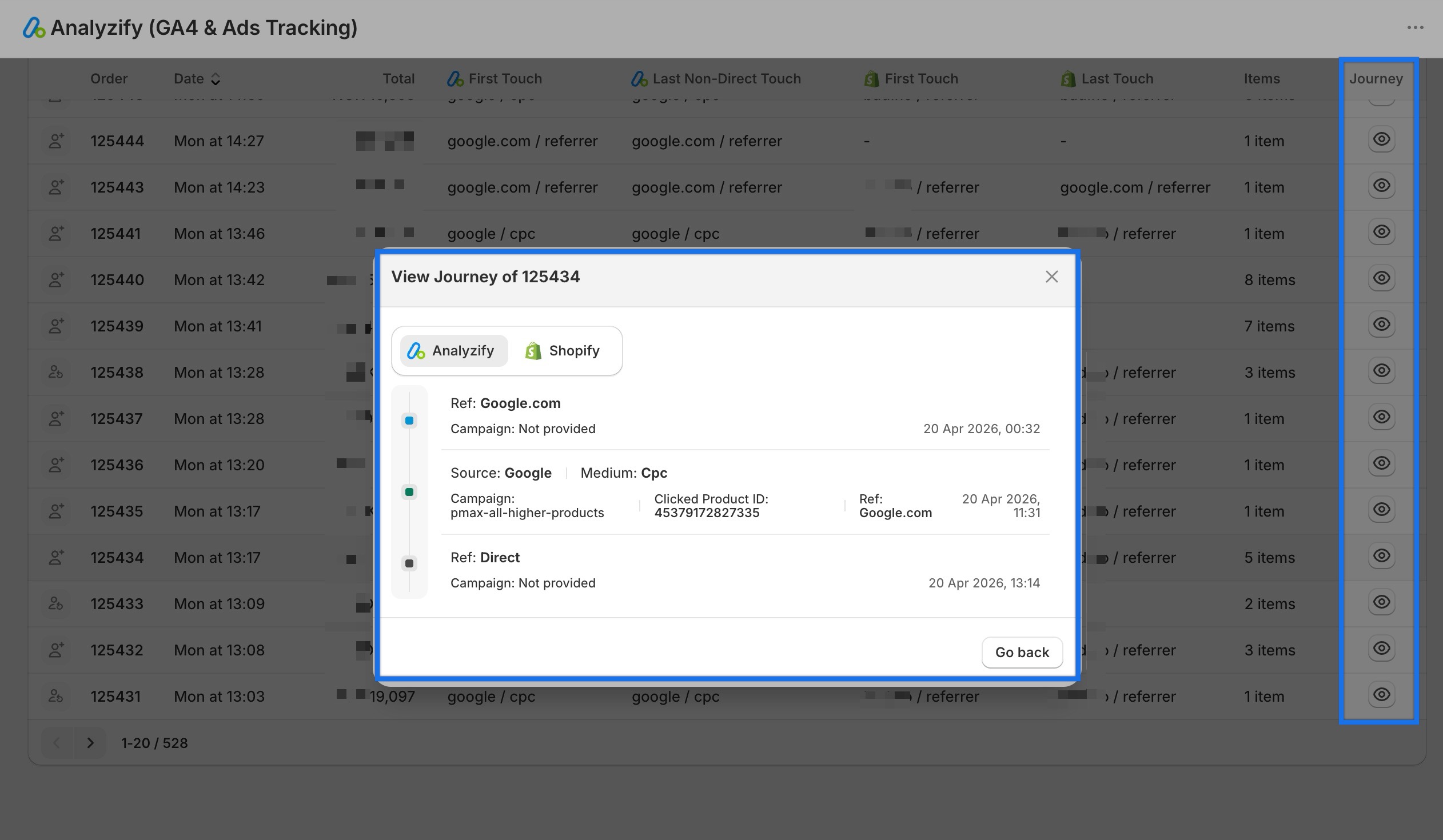
For each session in the journey, you can see:
- The traffic source and medium (e.g., Source: Google / Medium: CPC)
- The campaign name
- The referrer URL
- The exact timestamp of the visit
- The Clicked Product ID (which specific product the customer clicked on in an ad)
That last detail is worth pausing on.
If a customer clicked on a specific product in a Google Shopping ad, visited your store, browsed, left, came back through direct traffic, and then bought a different product, Analyzify captures the original clicked product ID. Most merchants have never seen this level of detail before.
The Journey view also shows the Shopify tab alongside Analyzify, so you can see exactly how Shopify interpreted the same purchase.
Analyzing Attribution by Campaign
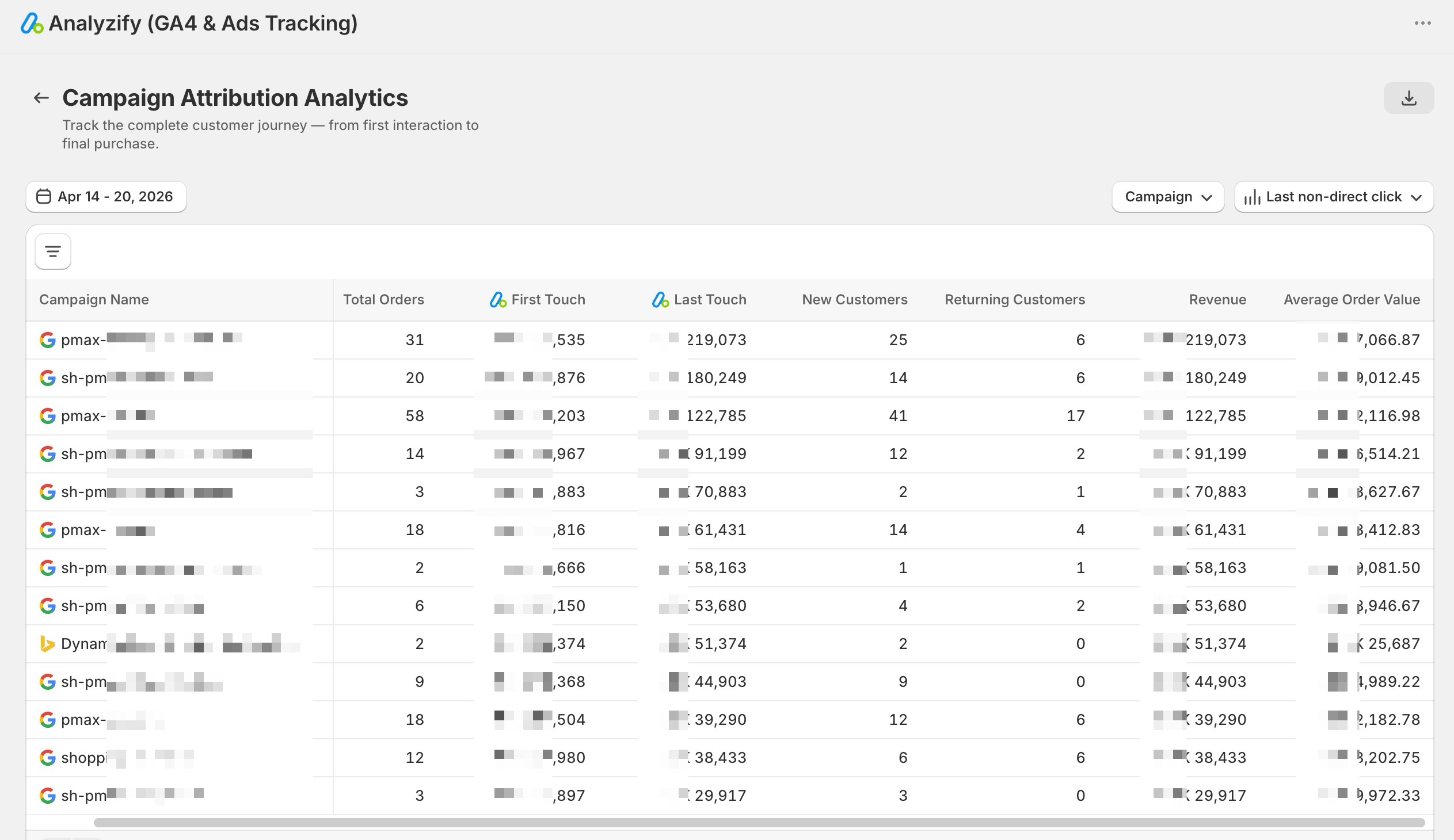
Beyond individual orders, the Campaign Attribution table aggregates your data so you can evaluate marketing performance at scale.
For each campaign you can see:
- Total Orders attributed to the campaign
- First Touch revenue: revenue from orders where this campaign was the first touchpoint
- Last Touch revenue: revenue from orders where this campaign was the last touchpoint
- New Customers: how many of those orders came from first-time buyers
- Returning Customers:how many came from existing customers
- Total Revenue
- Average Order Value
The gap between First Touch and Last Touch revenue is particularly revealing.
A campaign with high First Touch revenue but low Last Touch revenue is primarily a discovery channel. It brings people in but someone else closes the sale.
A campaign with the reverse pattern is a conversion channel. Both are valuable, but they serve different roles and should be evaluated differently.
The New Customers vs Returning Customers split adds another layer. If a campaign is mostly driving returning customer purchases, it may be capturing loyalty rather than creating demand. That’s useful context when deciding whether to scale it.
You can switch between four attribution models using the dropdown in the top right, which determines how orders get credited across the table.
Attribution Models
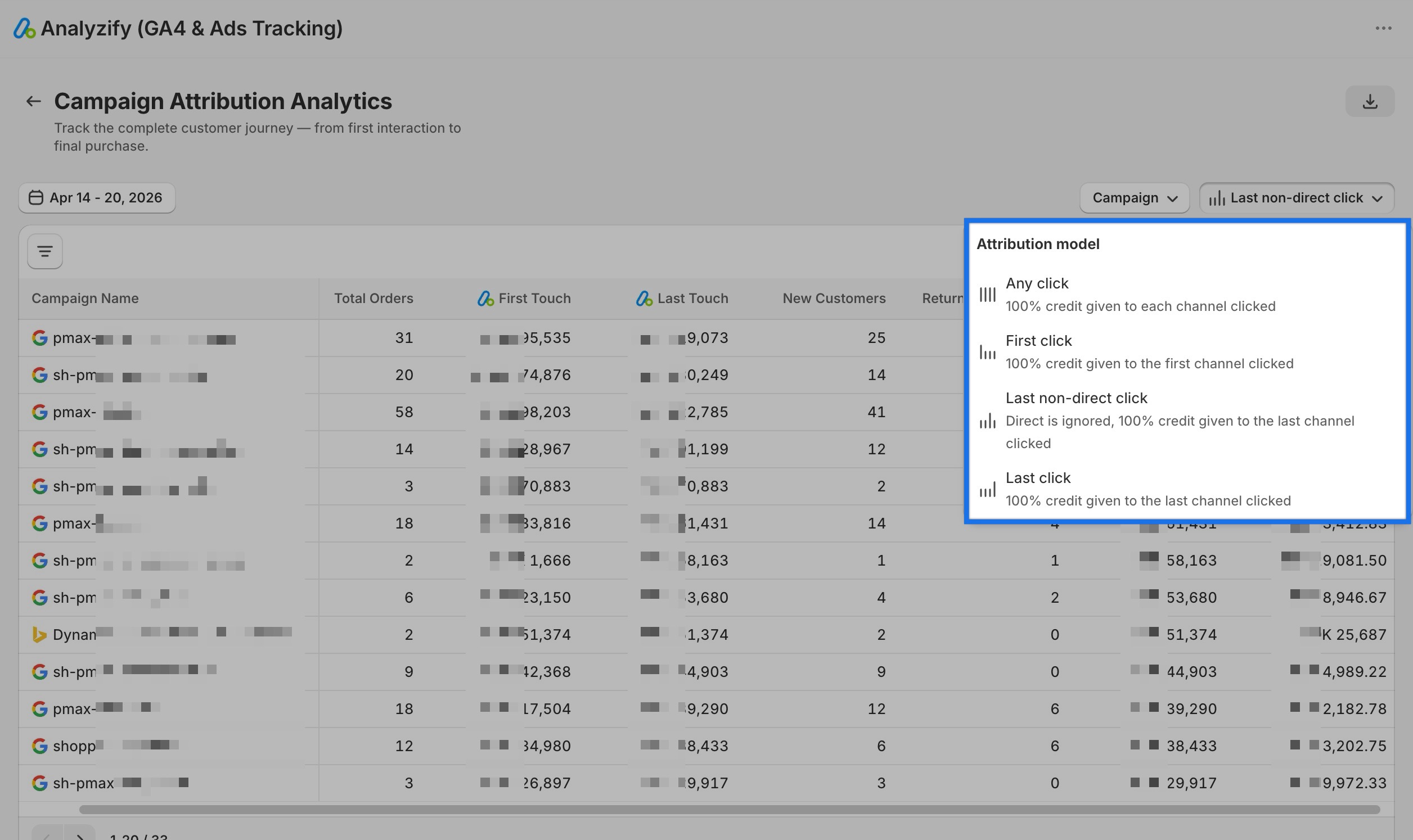
Different attribution models answer different questions. Analyzify lets you switch between all four so you can look at your marketing from multiple angles.
- Any Click: every touchpoint in the journey gets full credit. Use this when you want to see the total scope of each channel’s involvement. Note that order counts will sum higher than your actual order volume because each channel gets credited separately.
- First Click: 100% credit goes to the first channel that brought the customer to your store. Use this when you want to understand which campaigns are driving discovery and bringing new visitors in. It shows you the top of your funnel.
- Last Non-Direct Click: 100% credit goes to the last marketing channel before purchase, excluding direct traffic. This is the most commonly used one. It shows you what influenced the buying decision, what convinced the customer to come back and buy.
- Last Click: 100% credit goes to the final touchpoint before purchase, including direct visits. Use this when you want to see everything that happened immediately before conversion, including customers who came back directly.
The right model depends on the question you’re asking.
Comparing the same campaign across First Click and Last Click often reveals something useful: if a campaign looks strong in First Click but weak in Last Click, it’s bringing customers in but not closing them, which is valuable information about where to focus your optimization.
 Join 3,000+ Shopify merchants who send enriched data to 10+ marketing platforms
View Full Customer Journey with Advanced Attribution
Get multi-touch attribution data to see the full customer journey for every order.Why Better Attribution Data Matters
The practical outcome of seeing the full customer journey is that you can make marketing decisions based on what’s actually happening rather than what appears to be happening.
With complete attribution data, you can:
Stop cutting campaigns that are working. Top-of-funnel campaigns rarely show up well in last-click data because they create awareness rather than close sales. Multi-touch attribution shows their actual contribution so you don’t eliminate them based on incomplete numbers.
Understand how your channels work together. Paid social might drive discovery. Search might capture intent. Email might convert returning visitors. When you can see this in the data, you can plan your channel mix accordingly rather than evaluating each channel in isolation.
Make budget decisions with confidence. The Campaign Attribution table shows you which campaigns are bringing in new customers versus retaining existing ones, and what each approach is worth in revenue. That’s the information you need to allocate budget effectively.
Identify what actually drives high-value orders. Average Order Value per campaign in the Campaign Attribution table often surfaces surprises. A campaign with fewer orders may consistently produce higher-value purchases, something completely invisible in last-click data.
Conclusion
Shopify’s default attribution data tells you where a customer was when they finally bought. It doesn’t tell you what made them buy in the first place.
Most of the work your marketing does (the ad that introduced your store, the search that reinforced intent, the email that brought someone back) happens before the final click.
If that’s invisible in your data, you’re making decisions about what to scale, cut, and invest in based on an incomplete picture.
Analyzify’s attribution gives you the full journey. Every session, every channel, every campaign - from the first visit to the final purchase. That’s the data you need to understand what’s actually driving your sales and make confident decisions about where to focus next.