









Every Shopify store has high-value customers, repeat buyers, and customers about to churn.
The problem is identifying and using customer segments in your marketing.
You can see your customers inside Shopify. You can check how many orders they’ve placed, how much they’ve spent, and when they last purchased.
But none of that automatically translates into how your campaigns run.
Most stores end up treating all customers the same. The same audiences are used across ads. The same messages go out through email.
The differences between customer groups exist in the data, but they are not reflected in how marketing is executed.
This is where the gap starts. And for most stores, it never gets fully resolved. Let’s break it down and get a decent solution.
Key Takeaways:
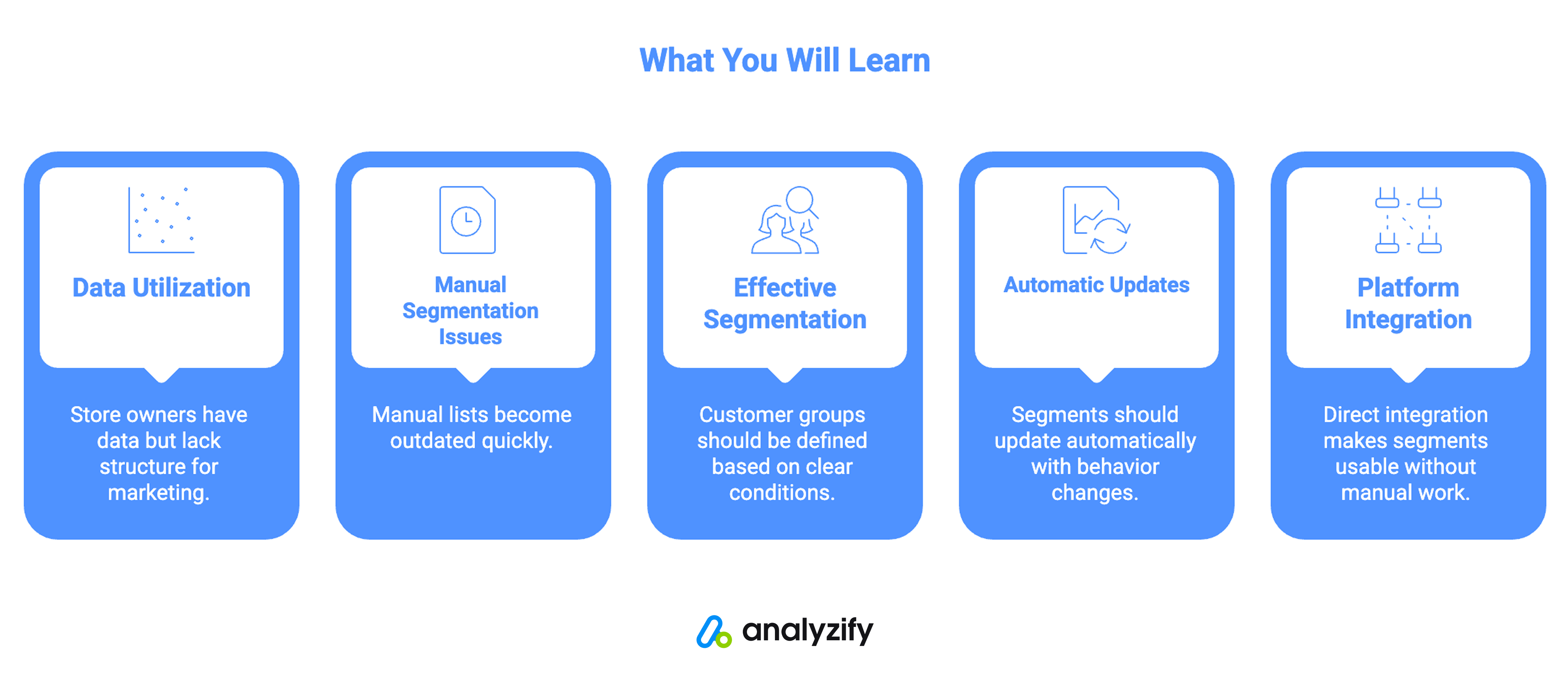
- Shopify store owners often have customer data but lack a structured way to use it in marketing
- Manual segmentation creates static lists that quickly become outdated
- Effective segmentation requires defining customer groups based on clear conditions
- Segments should update automatically as customer behavior changes
- Direct integration with marketing platforms makes segments usable without manual work
Exploring Customer Data in Shopify
Shopify provides order history, customer details, and general performance metrics.
But Shopify’s default customer data is not structured in a way that directly supports targeting.
For example, customers who purchased recently are not the same as those who haven’t returned in months. Customers who placed multiple orders behave differently from those who bought once.
These differences matter, but they are not automatically reflected in your marketing tools. This creates a situation where data exists, but it remains disconnected from action.
Most stores try to bridge this gap manually.
The process usually starts by exporting customer data from Shopify. From there, the data is filtered in spreadsheets, cleaned, and organized into lists.
These lists are then uploaded to platforms like Google Ads, Meta, or email tools. At first, this seems like a workable solution.
But it comes with a few limitations that become clear over time.
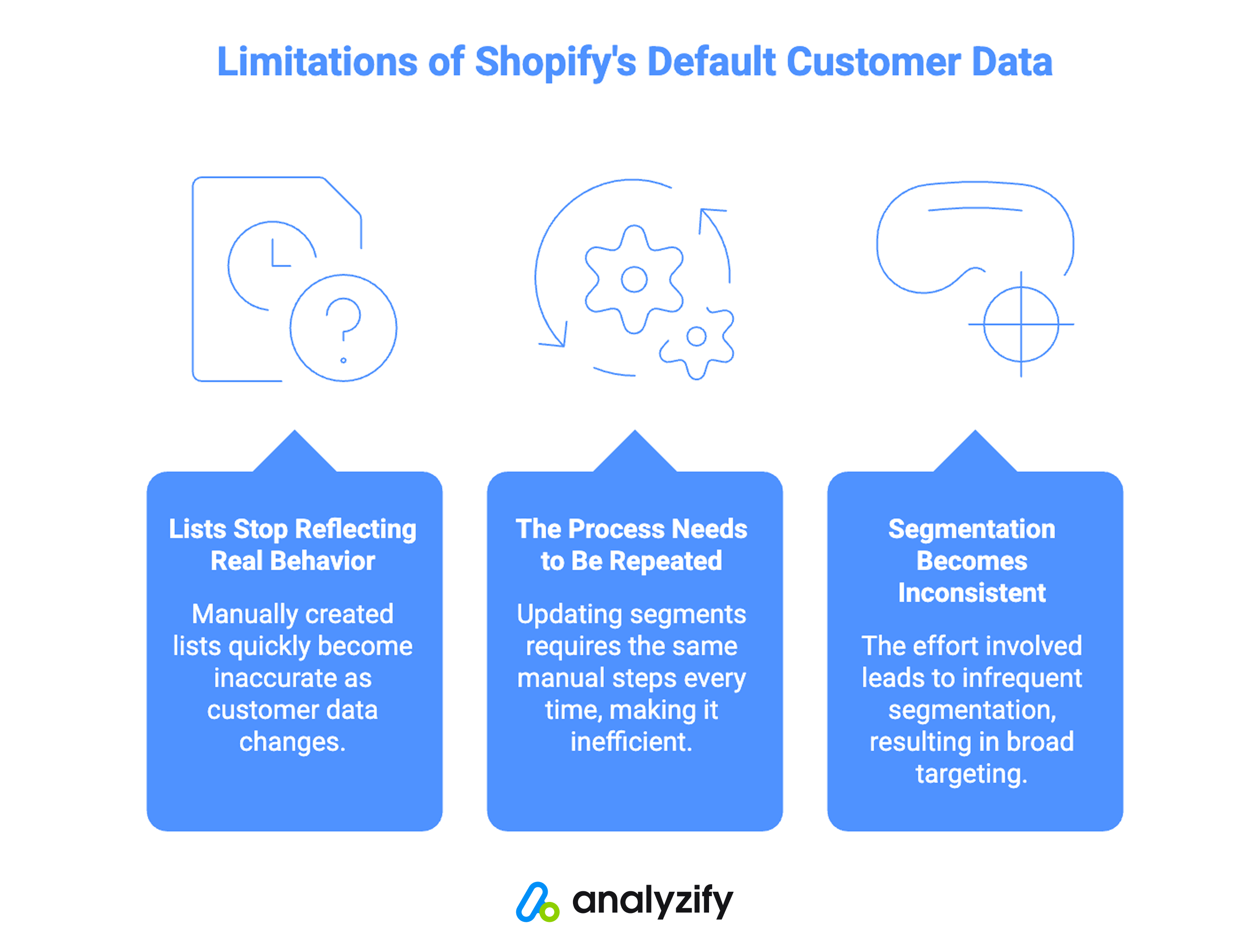
1) Lists stop reflecting real behavior: Customer data changes constantly. New customers place orders. Existing customers make additional purchases. Some become inactive. A manually created list only reflects the data at the moment it was exported. After that, it starts to lose accuracy.
2) The process needs to be repeated: Every time you want to update a segment, you need to go through the same steps again. Export, filter, upload. This turns segmentation into a repetitive task rather than an ongoing system.
3) Segmentation becomes inconsistent: Because of the effort involved, segmentation is often used only for specific campaigns. It’s not something that runs continuously in the background. As a result, many campaigns fall back to broad targeting instead of using customer data effectively.
The core issue is the lack of a system that turns that data into usable segments in Shopify. To make segmentation work in practice, three things need to happen:
- Customers need to be grouped based on clear conditions
- Those groups need to stay updated as data changes
- The groups need to be usable directly in marketing platforms
Without all three, segmentation remains incomplete.
This is the gap that Analyzify Customer Segments is designed to address.
How to Create Customer Segments That Work
Analyzify Customer Segments brings segmentation directly into your Shopify admin.
Instead of exporting data and managing it externally, you define your segments using your store’s data and keep everything in one place.
Pre-Built Segment Templates
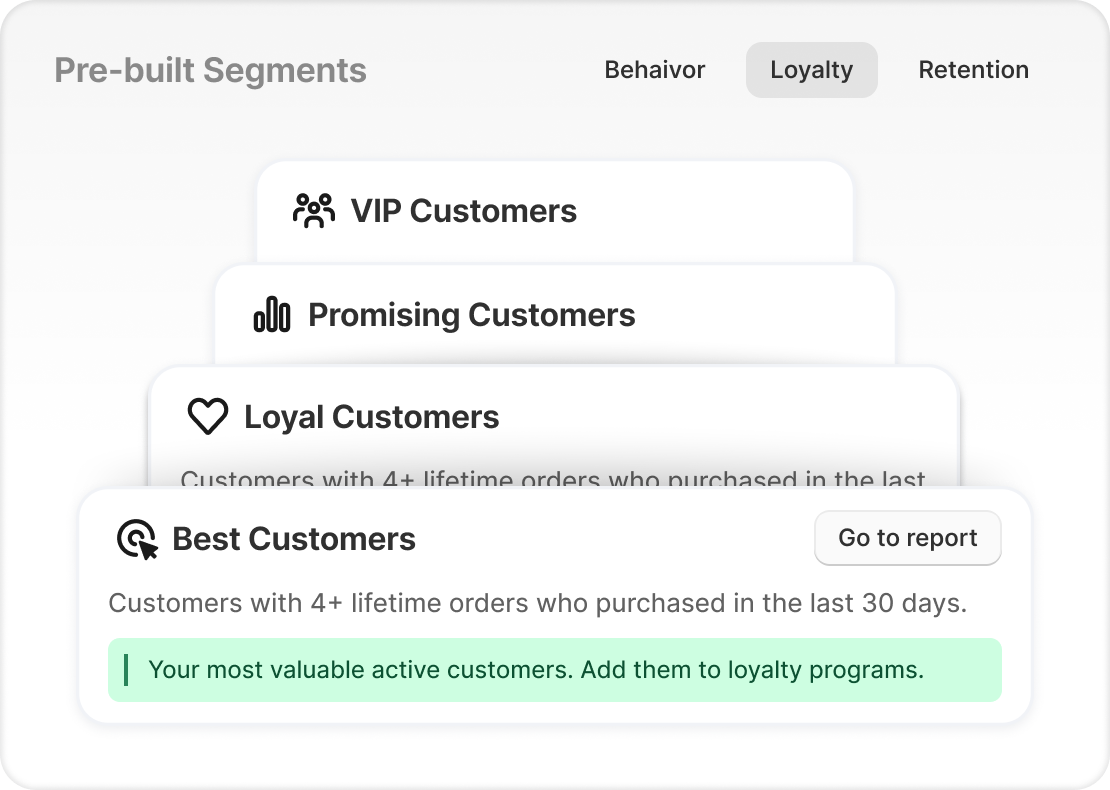
When you begin, you can choose from ready-made segment templates.
These templates are grouped into three main categories: Loyalty, Behavior, and Retention. Each one is built around specific conditions that define a type of customer.
For example:
- Loyalty segments focus on customers with multiple purchases over a defined period
- Behavior segments group customers based on how many times they have purchased
- Retention segments identify customers who have not purchased recently
These templates provide a structured starting point, especially if you don’t want to build segments from scratch.
Building Segments with Your Own Conditions
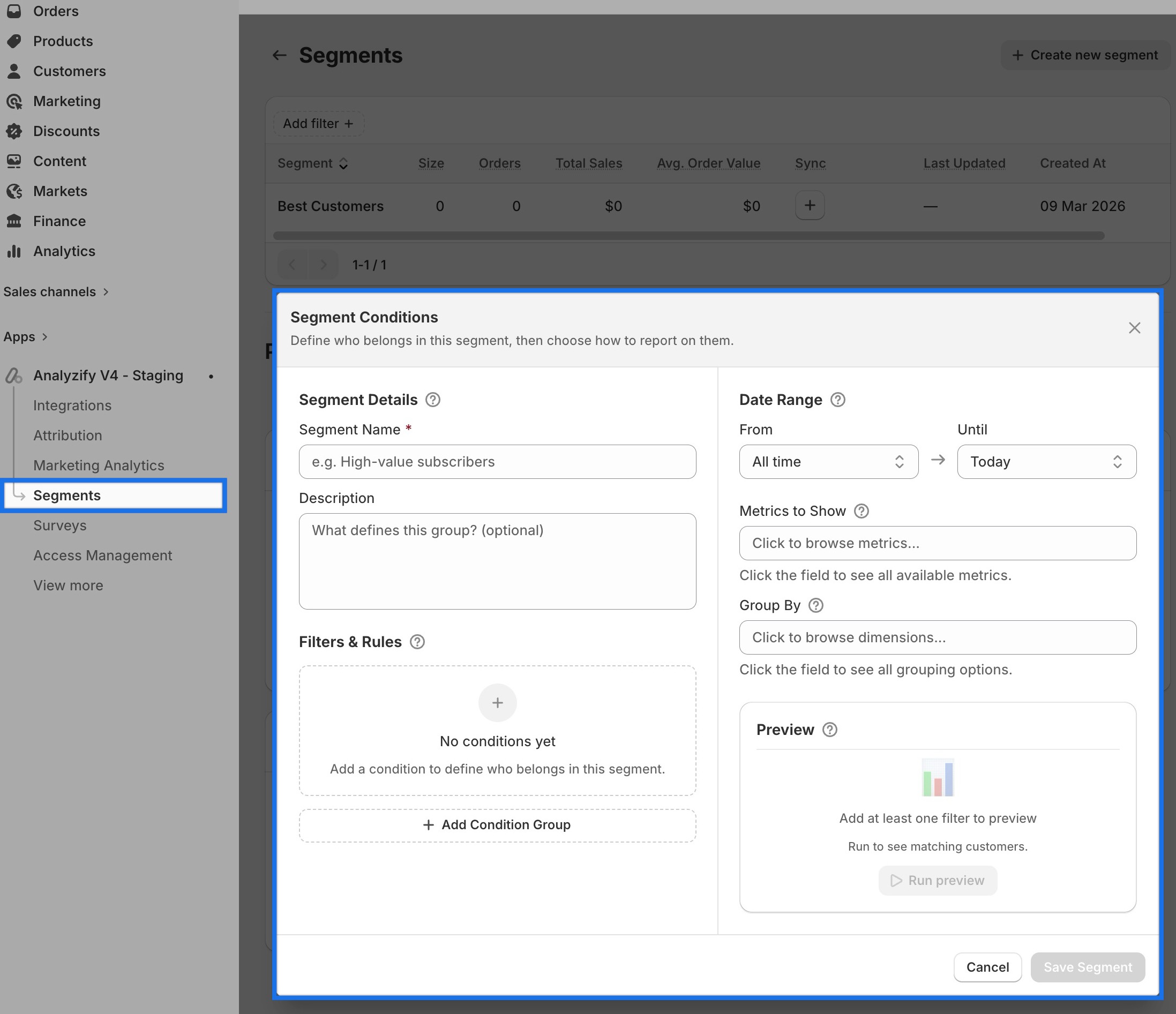
Not every store fits predefined templates.
For this reason, you can also create custom segments by defining your own rules.
These rules are based on customer data such as order count, purchase frequency, date ranges, and other conditions. You can combine them to match the exact type of customer group you want to create.
As you build a segment, Analyzify generates the corresponding ShopifyQL query in real time. This ensures that the segment is directly tied to your store’s data structure.
Previewing Segments Before Saving
One of the key steps in the process is previewing.
Before saving a segment, you can see exactly which customers match the conditions you’ve defined. This includes a live view of customer data and key metrics.
You can check:
- How many customers are in the segment
- Their total sales
- Their average order value
- Their order activity
This allows you to evaluate the segment before using it in any campaign.
Segments That Update Automatically
Once a segment is saved, it doesn’t stay static.
Segments update automatically as your customer data changes. This means new customers can enter a segment, and existing customers can move out of it based on their behavior.
This removes the need to rebuild segments manually.
Instead of working with a fixed list, you are working with a segment that reflects your current data at all times.
Useful Customer Segments for Shopify Stores
While segments can be customized, most stores rely on a few core types.
Loyalty-Based Segments
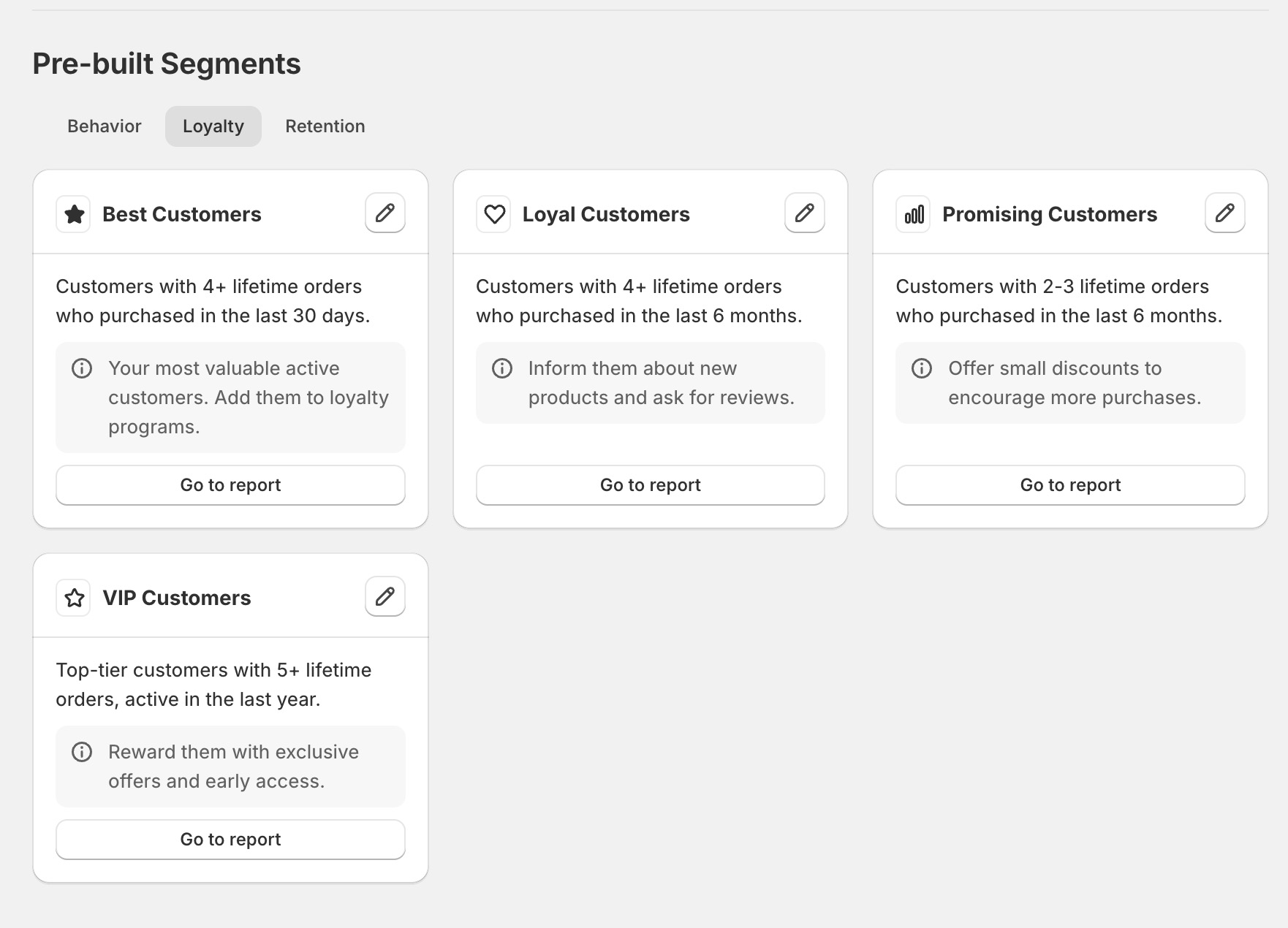
These segments focus on customers who purchase repeatedly and stay active over time. Instead of grouping them broadly, they are defined using clear thresholds around order count and recency.
For example, a “Best Customers” segment includes users who have placed four or more lifetime orders and purchased within the last 30 days. A “Loyal Customers” segment uses a similar order threshold but extends the timeframe to the last six months.
There are also segments that capture customers who are not fully loyal yet but show strong potential.
A “Promising Customers” group includes those with two to three lifetime orders within the last six months. At the highest level, “VIP Customers” represent top-tier users with five or more lifetime orders who have remained active within the last year.
What makes these segments useful is not just identifying repeat buyers, but separating them based on how recently and how frequently they engage with your store.
Behavior-Based Segments
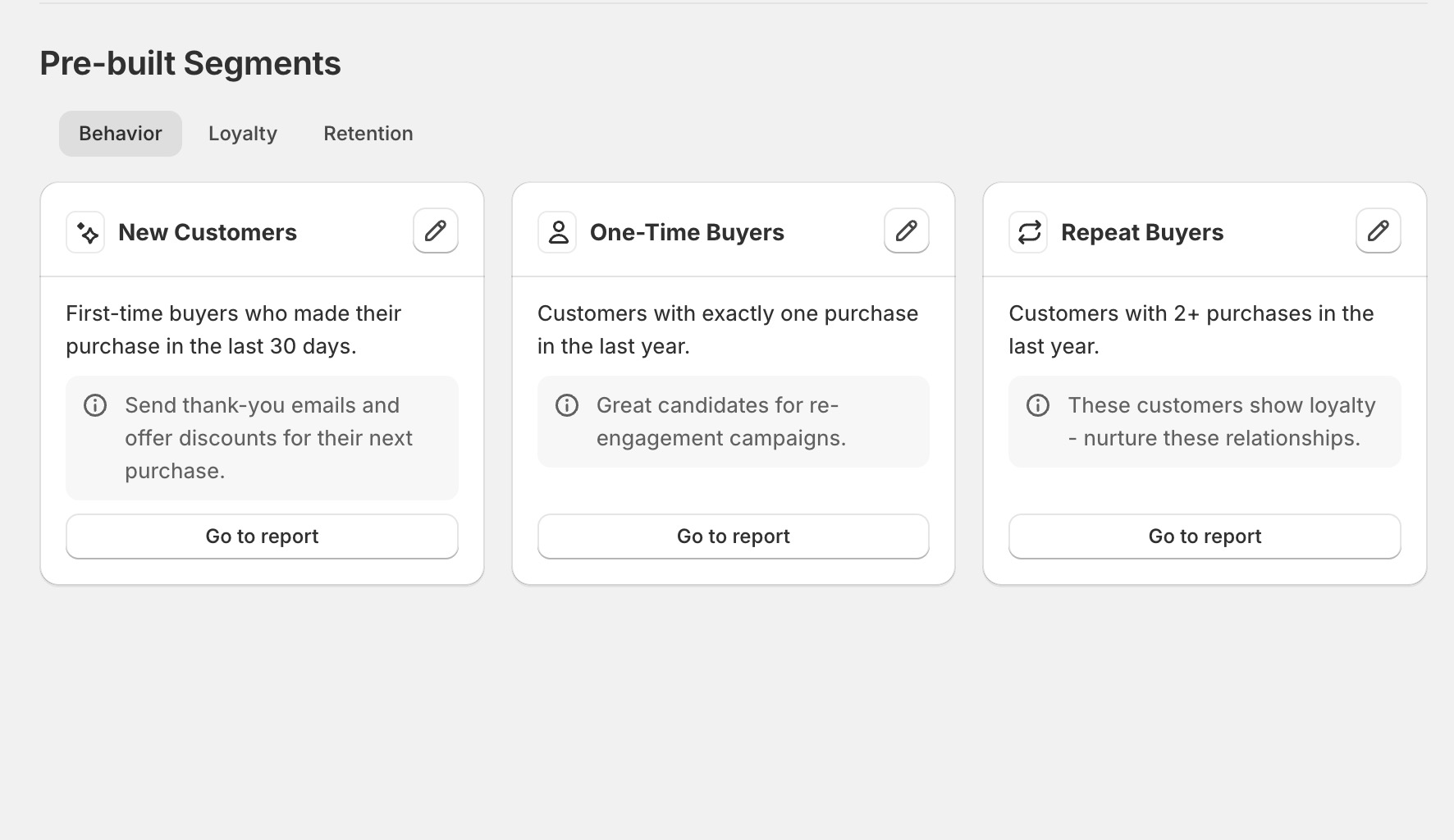
Behavior segments focus on how customers have interacted with your store over a specific period.
Instead of looking at long-term value, these segments capture current activity patterns. For example, “New Customers” includes first-time buyers within the last 30 days.
“One-Time Buyers” isolates customers who have made exactly one purchase within the last year, while “Repeat Buyers” includes those who have placed multiple orders during that same timeframe.
These definitions make it easier to distinguish between customers who are just entering your funnel and those who are already engaging more consistently.
Retention-Focused Segments
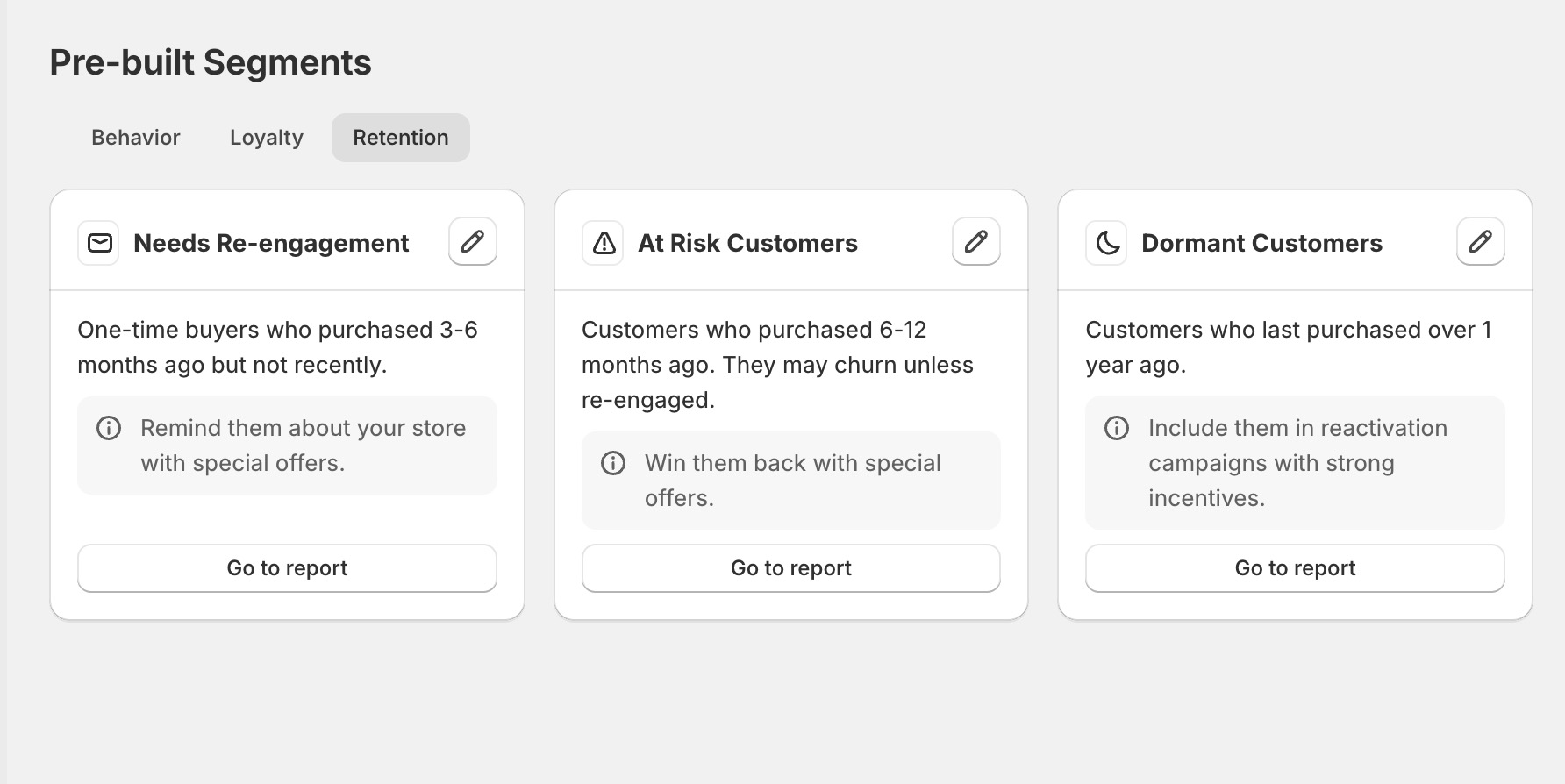
Retention segments are built around identifying customers who are no longer actively purchasing.
These are defined primarily through time-based conditions. For example, “Needs Re-engagement” includes one-time buyers who made a purchase three to six months ago but have not returned.
“At Risk Customers” extends that window to six to twelve months, while “Dormant Customers” includes those who have not purchased in over a year.
The value of these segments comes from making inactivity visible. Instead of treating all past customers the same, you can clearly see how long it has been since their last interaction.
Using Customer Segments Data in Campaigns
Creating segments is only useful if they can be used in marketing.
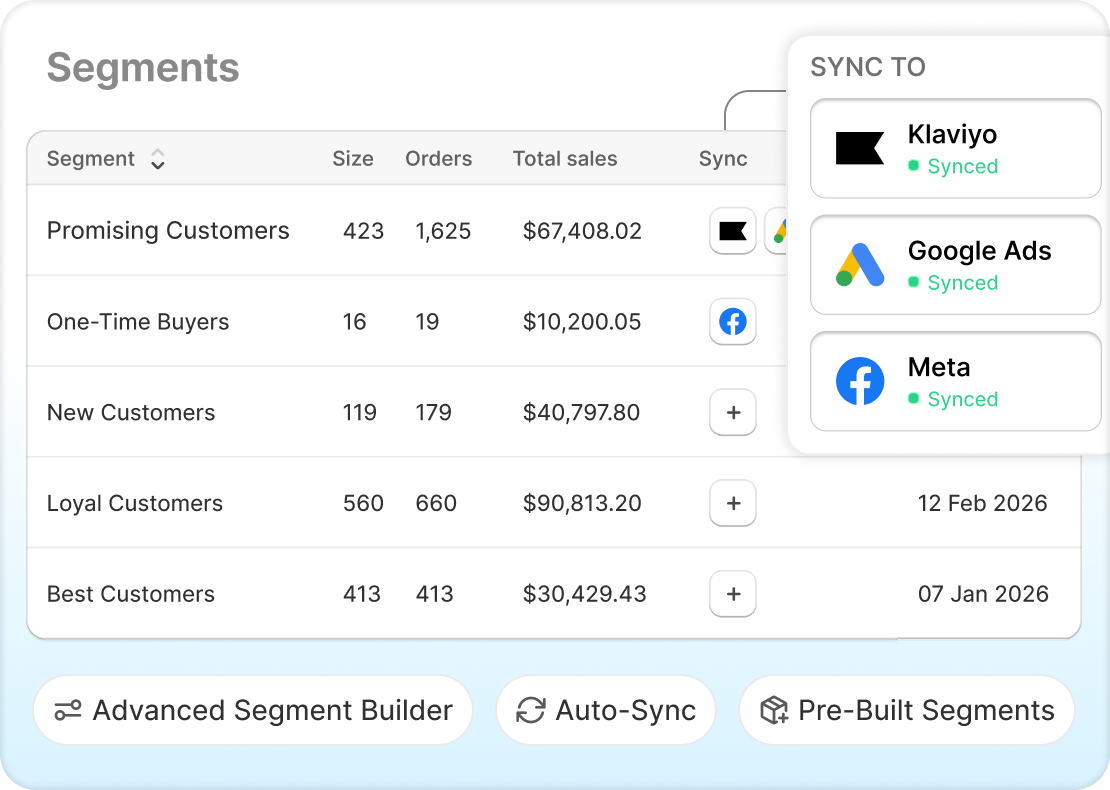
Analyzify Customer Segments allows you to connect your segments directly to platforms like Google Ads, Meta, and Klaviyo.
Once connected, your segments are synced automatically.
This means:
- You don’t need to export and upload lists manually
- Your audiences stay updated as customer data changes
- You can use the same segments across multiple platforms
Each segment becomes an audience that can be used in campaigns without additional setup.
Every segment includes a set of metrics that helps you understand its value.
These include:
- Total revenue generated by the segment
- Number of orders
- Average order value
- Customer behavior patterns
Instead of guessing which groups matter most, you can see how each segment contributes to your store’s performance.
This makes it easier to decide which segments to prioritize when planning campaigns.
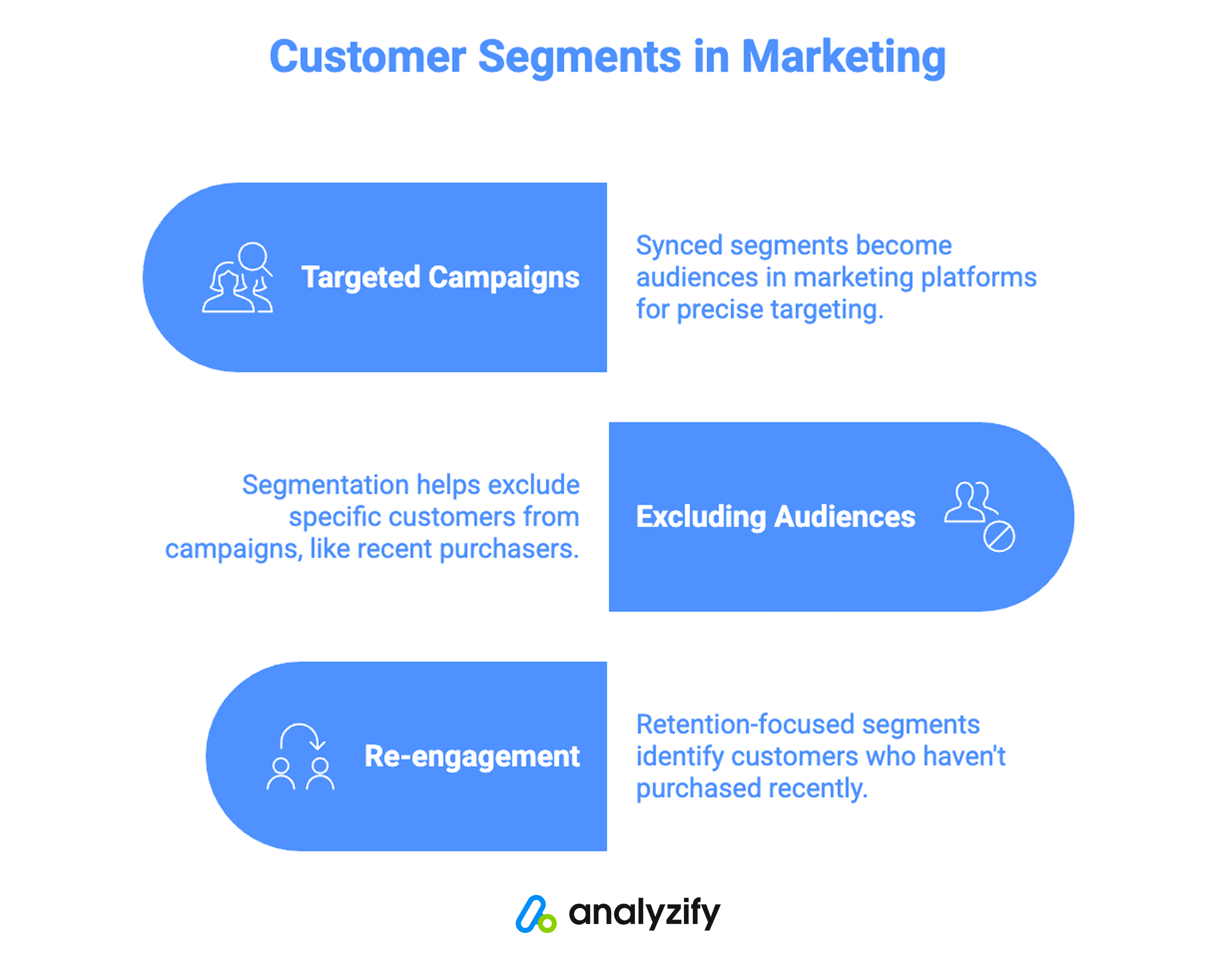
Targeted Campaigns
Once a segment is synced, it becomes an audience inside your marketing platform.
For example, a segment like “Best Customers” can be used as a dedicated audience in Meta or Google Ads. Instead of targeting broad groups, you are targeting customers who already match specific purchase behavior conditions.
Similarly, a “New Customers” segment can be used to tailor messaging differently from repeat buyers. Since this group is defined by recent first-time purchases, it reflects a very specific stage in the customer lifecycle.
The same logic applies across email campaigns in Klaviyo, where segments can be used to send different messages to different customer groups.
Excluding or Refining Audiences
Segmentation is not only about targeting. It’s also about excluding.
For example, if you are running acquisition campaigns, you may not want to include customers who have already purchased recently. By syncing your segments, you can exclude those customers from specific campaigns without manually updating lists.
This ensures that campaigns are aligned with current customer behavior rather than outdated data.
Re-engagement
Retention-focused segments can be used to identify customers who have not purchased in a while.
For example, a segment like “Needs Re-engagement” includes customers who made a purchase in the past but have not returned within a defined period. This segment can be used in campaigns designed to reconnect with those users.
Because segments update automatically, customers will move in and out of this group as their behavior changes.
This removes the need to manually track inactivity.
Continuously Updated Audiences
One of the main differences compared to manual workflows is that segments are not static.
When customer behavior changes, the segment updates. When the segment updates, the synced audience updates as well.
This means your campaigns are always working with current data.
Instead of rebuilding audiences for each campaign, you are working with segments that continuously reflect your store’s data.
Conclusion
Customer segmentation is not about adding more data to your workflow.
It’s about organizing the data you already have in a way that makes it usable.
For most Shopify stores, the challenge has been turning customer data into something that can be applied consistently across marketing channels.
Manual methods solve this temporarily, but they don’t scale.
By defining segments directly inside Shopify, previewing them before use, and keeping them updated automatically, segmentation becomes part of your ongoing setup instead of a one-time task.
This is what allows customer data to move from being something you can see to something you can actually use.