










Your Black Friday sales are up, but are you rewarding the right campaigns? Before you raise budgets, check which purchases reach Meta and Google Ads, how credit is assigned, and what remains after costs. This Shopify BFCM tracking checklist shows you what to test before the sale and what to monitor while it runs.
FIVE KEY TAKEAWAYS
- Test the purchase, not just the connection. Verify the order ID, value, currency and destination for a completed checkout before increasing spend.
- Separate double counting from attribution overlap. One order counted as two purchases within a platform needs investigation; two platforms each claiming that sale is an attribution issue.
- Choose which orders your campaigns should learn from. Review POS, draft and B2B purchases against your campaign goals before applying exclusions.
- Look beyond the final visit. Earlier ads, search visits and email clicks can appear in the recorded journey even when the last touchpoint gets the credit.
- Check profit and data freshness before changing budgets. Platform ROAS does not include every business cost, and recent conversion reports may still be incomplete.
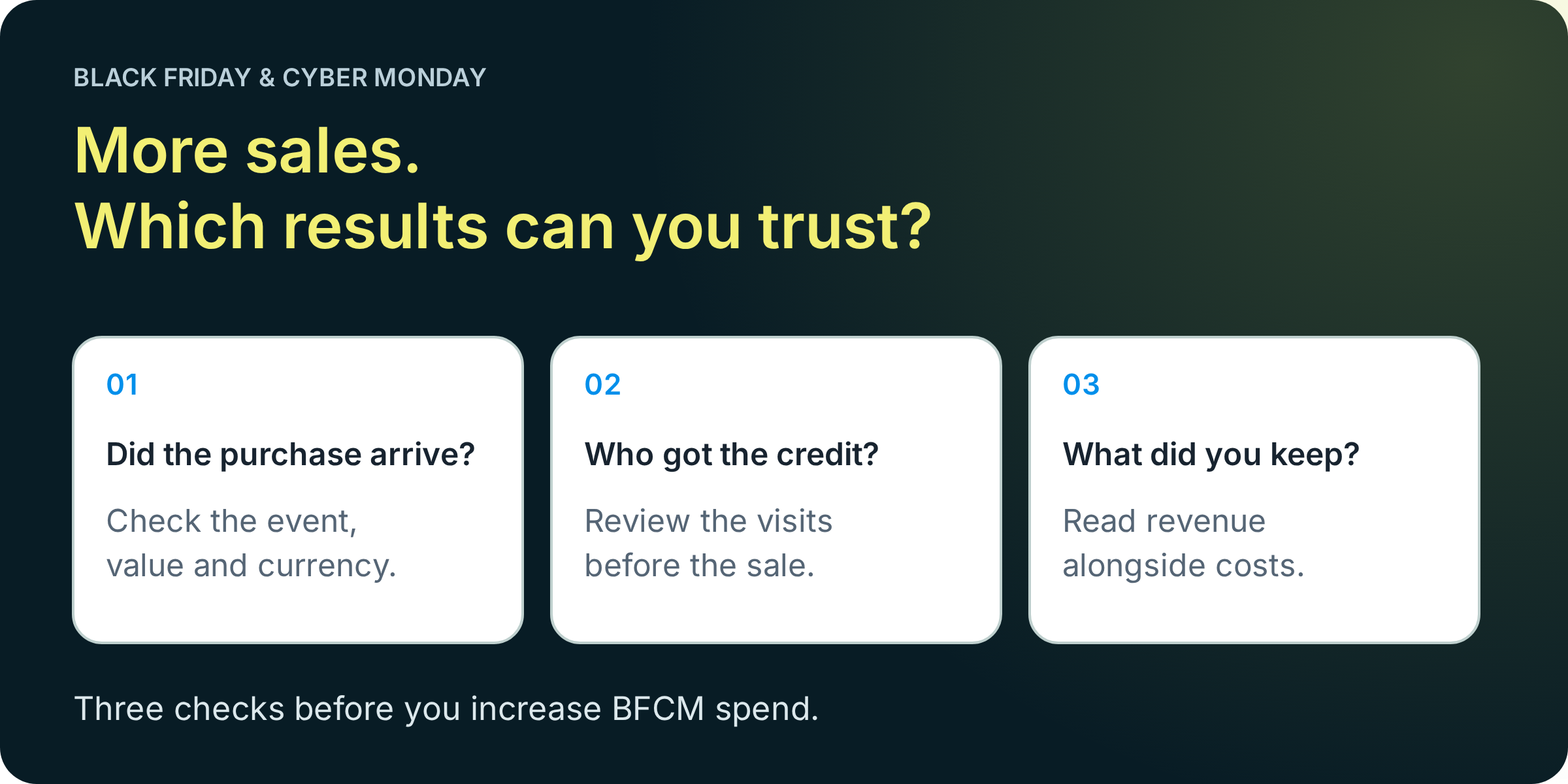
IN THIS GUIDE
- Why your reports show different sales
- How to test a Shopify purchase
- How to check for duplicate conversions
- Which orders to include or exclude
- How consent affects tracking
- How to see the visits before a sale
- How to assess BFCM profitability
- What to monitor before, during and after BFCM
Why do Shopify, GA4, Meta and Google Ads show different sales?
These tools can count different things and assign credit using different rules. A difference between reports does not, by itself, prove that your tracking is broken.
Start with the specific comparison. Shopify orders, GA4 purchase events and ad-attributed conversions are not interchangeable totals. Shopify documents several reasons for reporting differences, including time zones, privacy choices and different measurement methods.
What to check when your BFCM reports disagree
| What you notice | Check first |
|---|---|
| Shopify orders exceed ad-attributed purchases. | Order scope, eligible ad interactions, attribution windows and event delivery. Not every order should be attributed to an ad. |
| Meta and Google together claim more revenue than Shopify. | Cross-platform attribution overlap. Their credited revenue cannot simply be added together. |
| Order counts look reasonable, but revenue differs. | Discounts, refunds, tax, shipping, currency and the purchase value sent. |
| Today’s results look unusually weak. | Reporting freshness and conversion lag, alongside live orders and checkout health. |
What should you align before comparing conversion reports?
Use the same date range and time zone, then record the included channels, order statuses and revenue definition. Check whether the ad report groups conversions by the ad interaction date or the conversion date.
Keep a short comparison note your team can reuse. “Online retail orders, after discounts, excluding tax and shipping” is much more useful than “Shopify revenue.”
Analyzify’s Marketing Analytics dashboard brings Shopify and connected marketing reports into one place. Use it to review the differences with consistent context, while keeping each platform’s attribution rules in mind.
How do you test Shopify purchase tracking before Black Friday?
Follow a controlled checkout from the store to the intended tracking destinations. A connected pixel or a successful pageview is not enough to validate a purchase.
Agree on a test method with whoever owns your implementation. Some integrations exclude Shopify test orders, so confirm the expected behavior before treating an absent test event as a fault.
- Record the checkout details. Note the order ID, time, products, quantities, discount, payment route, value and currency.
- Inspect the event sent. Confirm that the purchase uses the right identifiers and parameters, rather than a fixed value or a value from an earlier cart state.
- Check the receiving platform. Use its available diagnostics or test tools, such as GA4 DebugView for debug-enabled events or Meta Test Events for supported test flows.
- Review the processed result. After the relevant processing delay, verify the expected purchase count and value. Keep evidence of the result so the team knows what passed.
An event arriving successfully does not mean an ad should receive credit for it.
An ad-attributed conversion also needs an eligible interaction under that platform’s attribution rules. You can validate event delivery without manufacturing a paid ad click.
How do you check discounts and Shopify Markets currencies?
Test the checkout combinations you actually expect during BFCM: a discounted order, your main accelerated payment route, and each materially different market or currency setup.
- Discounts: confirm the event reflects the intended discounted purchase value.
- Currency: check the numeric value and its currency together. A value of 100 with the wrong currency code is still wrong.
- Tax and shipping: document whether each destination includes them. Follow that platform’s field definitions.
- Products: verify item IDs and quantities, especially for bundles or app-assisted checkout flows.
For GA4, Google’s ecommerce documentation explains purchase parameters and requires a currency when sending a value. Use the destination’s rules rather than assuming every revenue field should equal Shopify’s order total.
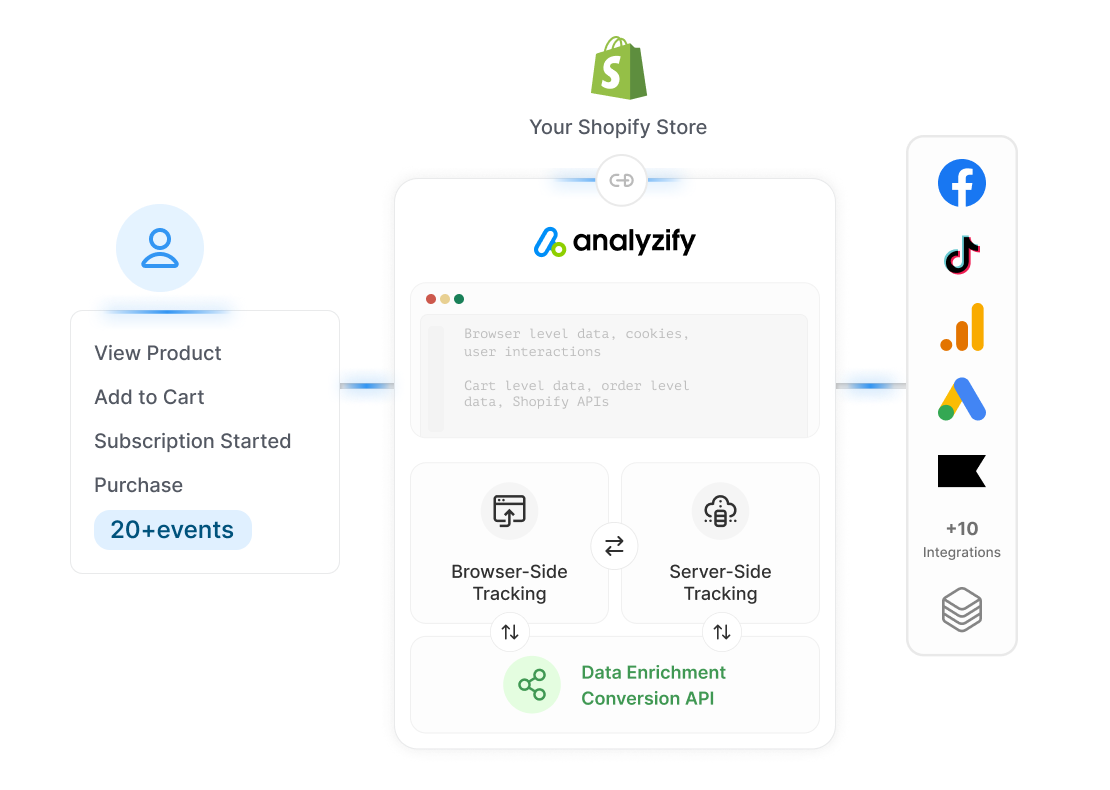
Analyzify Server-Side Tracking provides a route for supported events that is less dependent on browser delivery. Its implementation services can help configure and validate your selected integrations. Still test the actual checkout paths: adding a server connection does not validate values, exclusions or consent automatically.
How do you check for duplicate Meta purchases and Google Ads conversions?
Check both the event identity and the conversion setup. Duplicate tracking can come from repeated events or from separate integrations measuring the same purchase.
Does sending a purchase through Meta Pixel and CAPI count it twice?
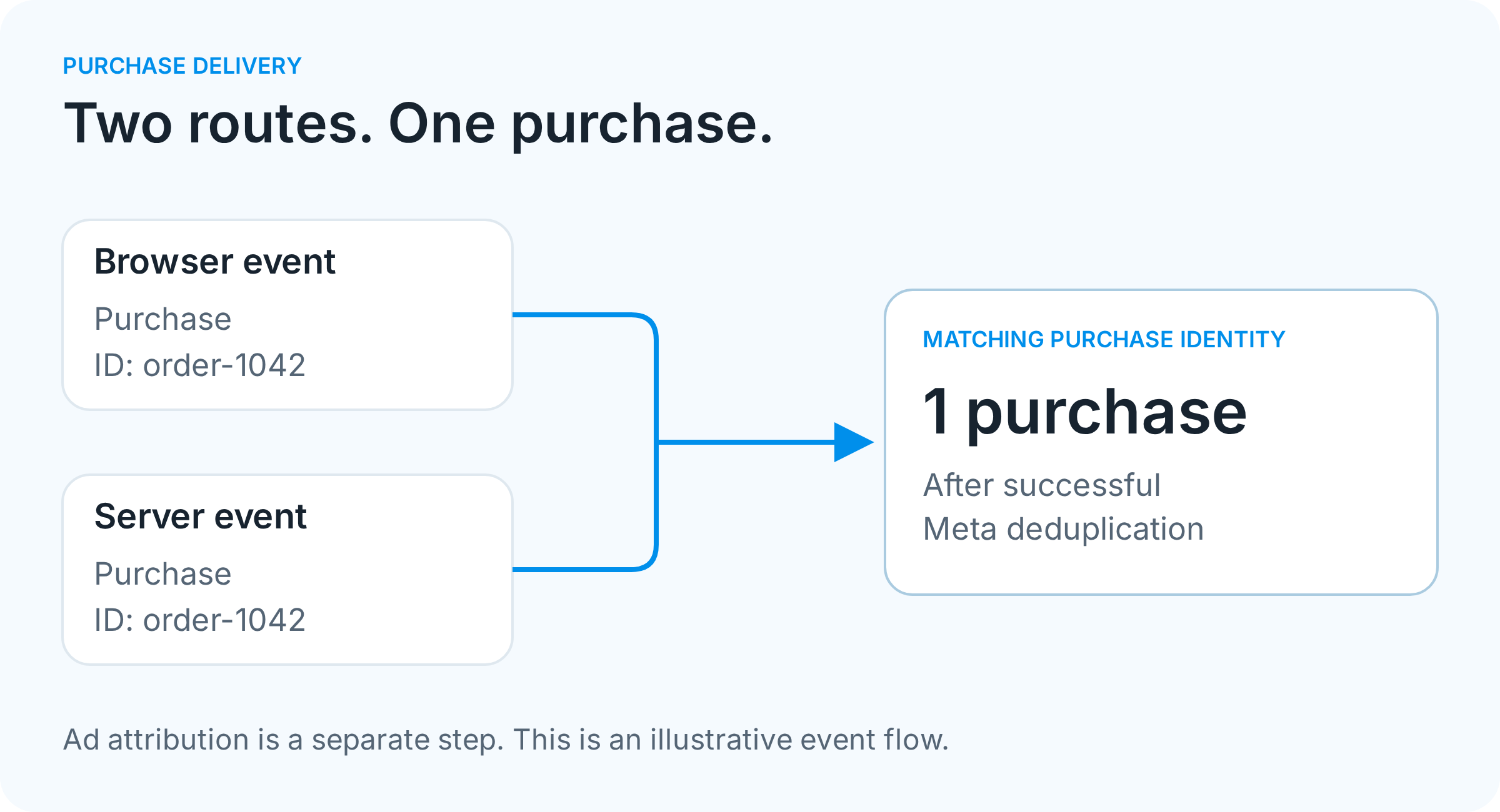
Browser and server events can represent the same purchase. The setup needs to identify those copies correctly so Meta can deduplicate them. Check the purchase event name and matching event ID across both routes, then inspect the destination’s deduplication diagnostics.
Seeing a browser event and a server event is not enough to diagnose double counting. Also inventory the apps, native integrations and custom tags sending purchases to that destination. Overlapping setups need a coordinated review before anything is disabled.
Can two Google Ads purchase conversion actions count the same order?
Yes. A website purchase action and an imported GA4 purchase action can both measure the same sale. Review which actions each campaign uses for bidding.
- Send a unique, consistent transaction ID for each order.
- Do not assume that ID removes duplicates across separate conversion actions.
- Review primary and secondary settings, including custom goals. Google notes that secondary actions in custom goals can still be used for bidding.
Bring this integration inventory to an Analyzify implementation review. It gives the team a concrete starting point for identifying overlapping tracking and validating the intended setup.
Should you exclude POS, draft and B2B orders from ad tracking?
Exclude an order type when it does not belong in the conversion data for your campaign objective. The label alone is not a reason to remove it.
A wholesale reorder can have a different value and buying process from a first retail purchase. If both feed the same retail acquisition setup, you need to know whether that mix reflects what you want the campaign to achieve.
Choose order rules around your campaign objective
| Order type | Question to answer | Possible treatment |
|---|---|---|
| Online retail purchase | Is this the outcome the campaign is intended to generate? | Include eligible purchases with the agreed value definition. |
| POS order | Does the campaign measure in-store sales as well as online sales? | Exclude from an online-only objective, or measure separately where appropriate. |
| Draft order | Was it a relevant customer sale, a manual invoice or an internal transaction? | Review the flow before excluding the entire category. |
| B2B order | Is the campaign acquiring wholesale buyers or retail customers? | Keep it in the relevant objective, or exclude it from retail purchase data. |
Analyzify provides sales-channel, draft-order and B2B exclusion controls. B2B exclusions also support Google Ads. Review the settings for each connected destination and validate both an included order and an excluded order.
Exclusions change the purchase data sent through the configured integration. They do not remove the order from Shopify, and a received purchase does not automatically earn ad credit.
For the collection side of this problem, see how Analyzify handles draft-order tracking. Capturing a legitimate order and deciding where it belongs are separate decisions.
Can cookie consent settings cause missing BFCM conversions?
Consent choices can change what is collected and sent, so a lower event count is not always an implementation error. Test the behavior you intend for each consent state.
- Start a fresh visit and check the default state before making a choice.
- Accept the relevant consent categories and verify that the expected events become available.
- Repeat with consent declined, and confirm the setup respects that choice.
- Test a changed choice and a returning visit, including any region-specific banner behavior.
Does server-side tracking bypass consent?
No. Server delivery is not permission to ignore a visitor’s choice. The collection method and the consent requirements are separate parts of the setup.
Google’s basic and advanced Consent Mode behave differently. Basic mode blocks Google tags until consent; advanced mode can send cookieless measurements when consent is denied. Confirm which approach your store has configured before judging the test results.
Analyzify’s Google Consent Mode integration helps your Google tracking respond to visitors’ consent choices. Before BFCM, review it alongside your cookie banner and test a completed purchase with consent accepted and declined. The aim is to understand which reporting gaps are expected and which need investigation.
How can you see which visits led to a Black Friday purchase?
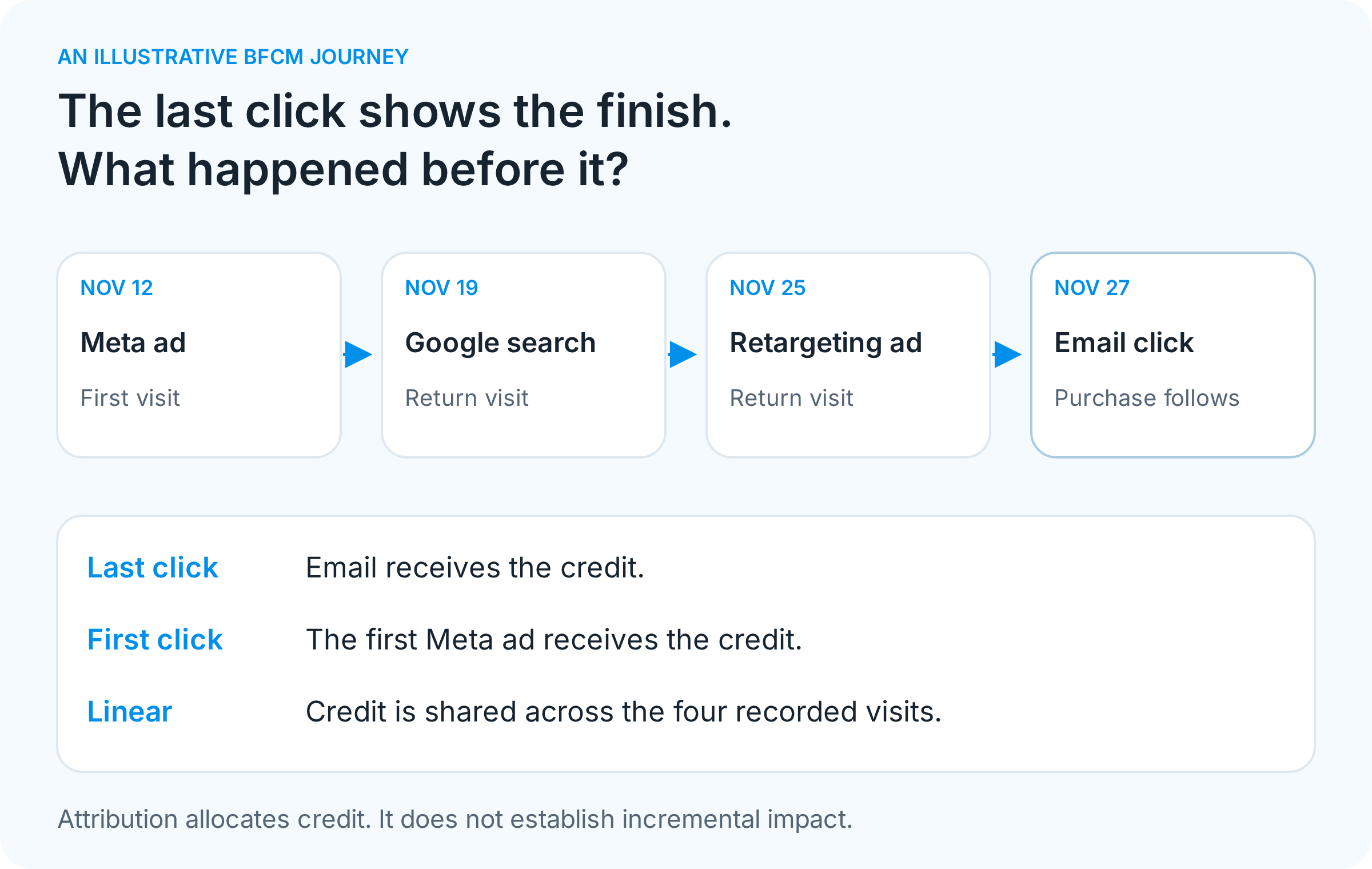
Inspect the recorded journey behind the order, then compare how attribution models assign credit. A last-click report tells you about the final recorded touchpoint. It does not explain all the earlier visits.
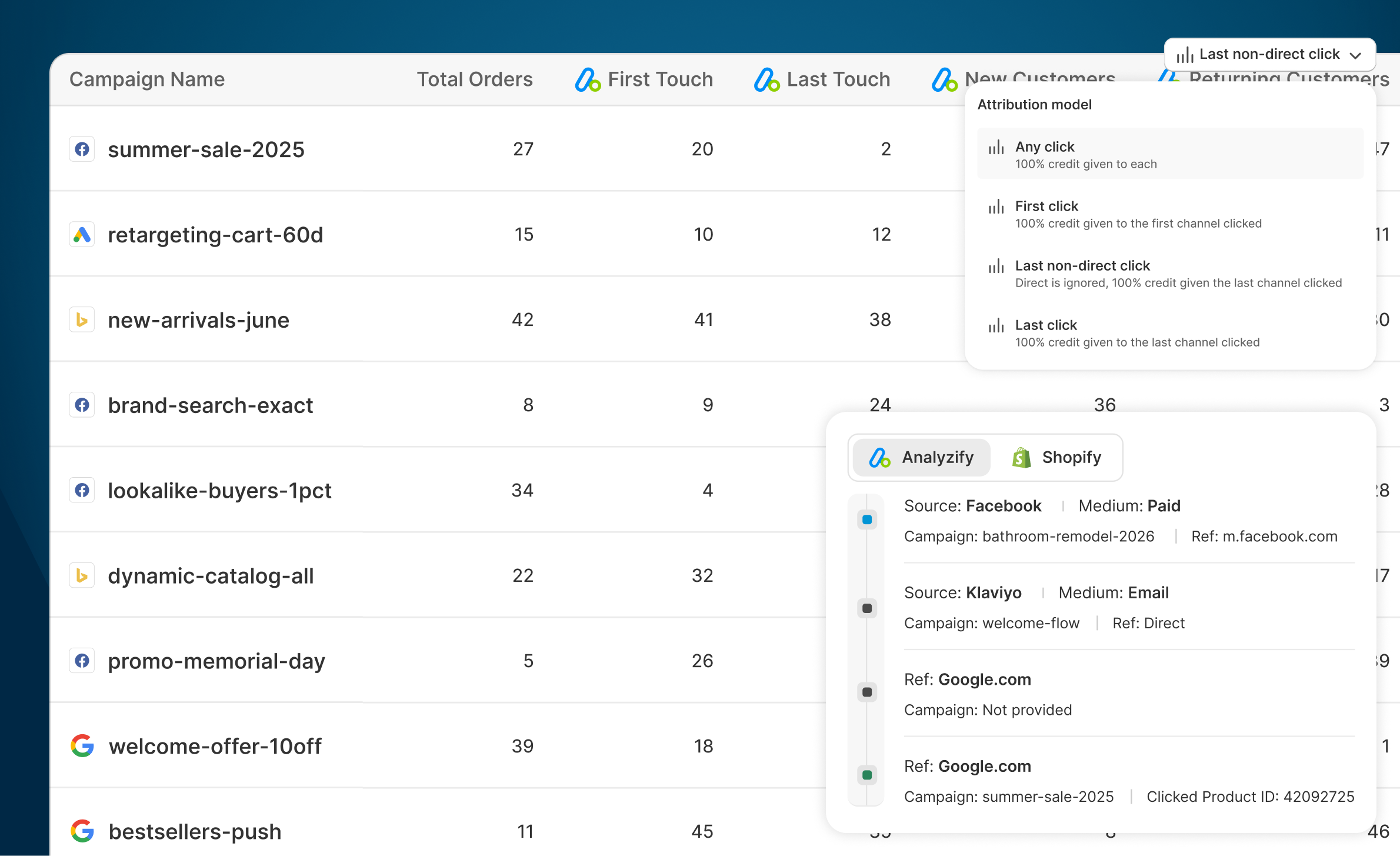
Consider a shopper who discovers your product through a Meta ad, returns through Google search, clicks a retargeting ad and finally buys after opening your BFCM email.
Which attribution model should you use for BFCM?
Use the model that fits the question, and compare perspectives before deciding a channel contributed little.
- First click: which recorded channel introduced the shopper?
- Last non-direct click: which recorded marketing visit came last before purchase, excluding direct visits?
- Linear: how does the picture change when credit is shared across recorded visits?
Analyzify Purchase Attribution lets you inspect order-level journeys, compare attribution models, and review source, medium, campaign and available click identifiers. It also separates new and returning customers, useful when a BFCM email brings existing buyers back.
How should you tag BFCM ads and email links?
Use consistent campaign naming and UTM conventions across the links you control. Check that redirects retain campaign parameters and platform click identifiers where applicable. A shared naming sheet is easier to compare than several spellings of the same promotion.
Be careful with the conclusion: a recorded journey shows observed touchpoints, not every interaction across every device. Attribution assigns credit; it does not prove a sale would disappear without a particular ad.
How do you know whether Black Friday ads are profitable?
Review store revenue and costs alongside platform ROAS. A campaign can report a healthy return on ad spend while discounts, product costs and fulfillment leave little contribution.
Keep three measures distinct:
- Platform ROAS: revenue attributed by that platform divided by its ad spend.
- Blended MER: store revenue divided by total ad spend, using a clearly stated revenue basis.
- Contribution after ads: revenue remaining after the variable costs included in your calculation and ad spend.
Illustrative BFCM example: a 5× MER can still leave a narrow margin
| Item | Amount |
|---|---|
| Sales after discounts and refunds, excluding tax and shipping revenue | $50,000 |
| Total ad spend | $10,000 |
| Product costs | $28,000 |
| Shipping, fulfillment and payment fees | $7,000 |
| Contribution after these costs and ads | $5,000 |
The MER is 5×, but the remaining contribution is 10% of sales. That $5,000 still needs to cover any costs outside this example, so it is not a complete net-profit figure.
Use your own product margins and costs when assessing room to increase spend. Avoid adding Meta-attributed revenue to Google-attributed revenue to create a store total.
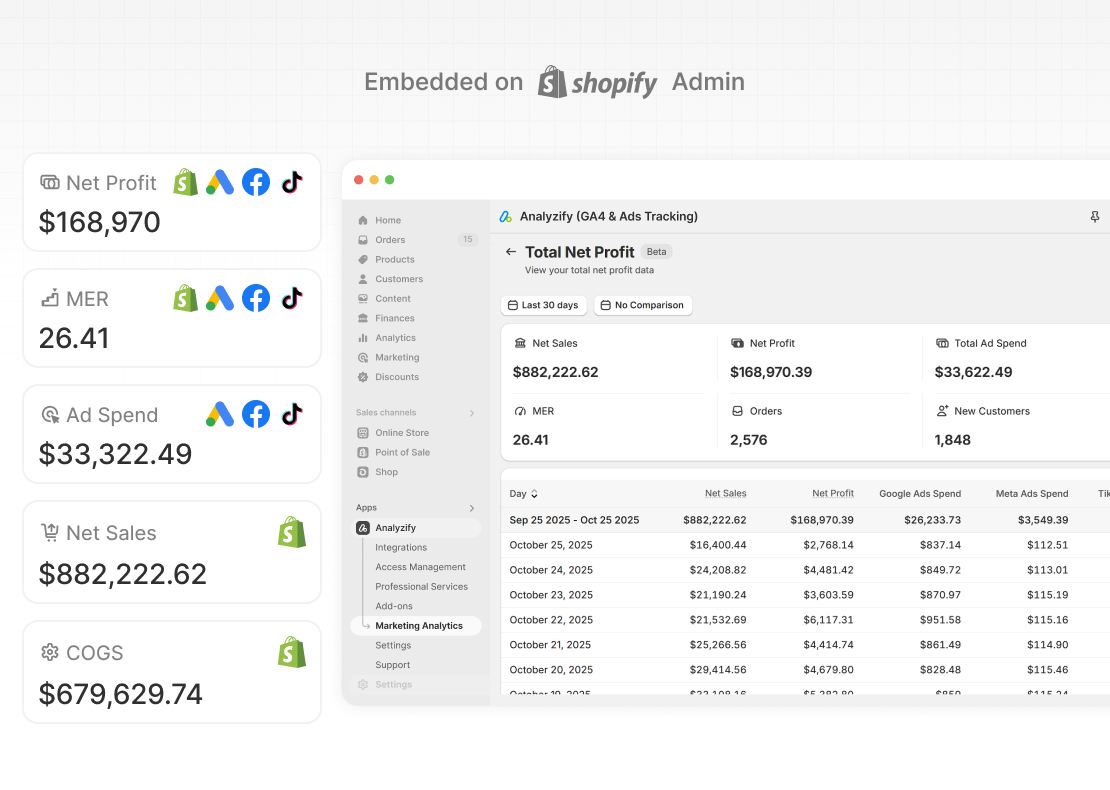
Analyzify’s Net Profit & MER report brings sales, ad spend, product costs and other configured expenses together inside Shopify. Keep the cost inputs current and check what the report includes before using its profit figure to guide a budget decision.
What should you monitor before, during and after BFCM?
Validate the setup before the sale, monitor delivery while it runs, and revisit performance after the data has matured. Give one person ownership of tracking issues and another ownership of budget decisions, even if both roles sit with you.
How long should you wait before judging BFCM conversion results?
There is no single waiting period for every platform. Two separate delays matter:
- Conversion lag: a person clicks today and purchases later. Google Ads provides conversion lag reporting to help assess this effect.
- Reporting latency: a purchase has happened, but the report is still processing it. Google says GA4 processing can take 24 to 48 hours, although some data appears sooner.
Check your account’s normal delay and each report’s freshness. Use live orders and event diagnostics to investigate an outage; use sufficiently mature performance data to judge returns. A blank recent report and a failing checkout require different responses.
A practical BFCM measurement schedule
| When | Action | What to keep |
|---|---|---|
| Before budgets increase | Run purchase and consent tests. Review duplicates, order rules, campaign links and cost inputs. | A test log with order IDs, expected results, actual results and issue owners. |
| After a checkout or tracking change | Repeat the affected test flows before relying on the new setup. | A timestamped change log and fresh test evidence. |
| During BFCM | Review order flow, delivery errors, unexpected value changes, spend and report freshness. | A short daily note explaining anomalies and budget decisions. |
| After the sale | Revisit attribution after normal processing and conversion delays. Update refunds and costs. | A final view of sales, contribution and channel performance, with the reporting date recorded. |
Keep the Analyzify reports relevant to your store in the review routine, and use the receiving platforms’ diagnostics when an event needs investigation. A dashboard helps you spot the change; the test evidence helps you explain it.
PREPARE BEFORE YOU INCREASE SPEND
How can Analyzify help you prepare your Shopify tracking for BFCM?
Bring your store’s integrations, order types and reporting questions to a conversation with our team. We can show you the relevant tracking, attribution and analytics features, and discuss the implementation support your setup needs.
Check your setup with Analyzify before you increase ad spend.

- Check for missing or duplicate purchases
- See the visits behind your sales
- Review sales, ad spend and profit